8
CONTROL PANEL AND MULTI-COLOR DISPLAY
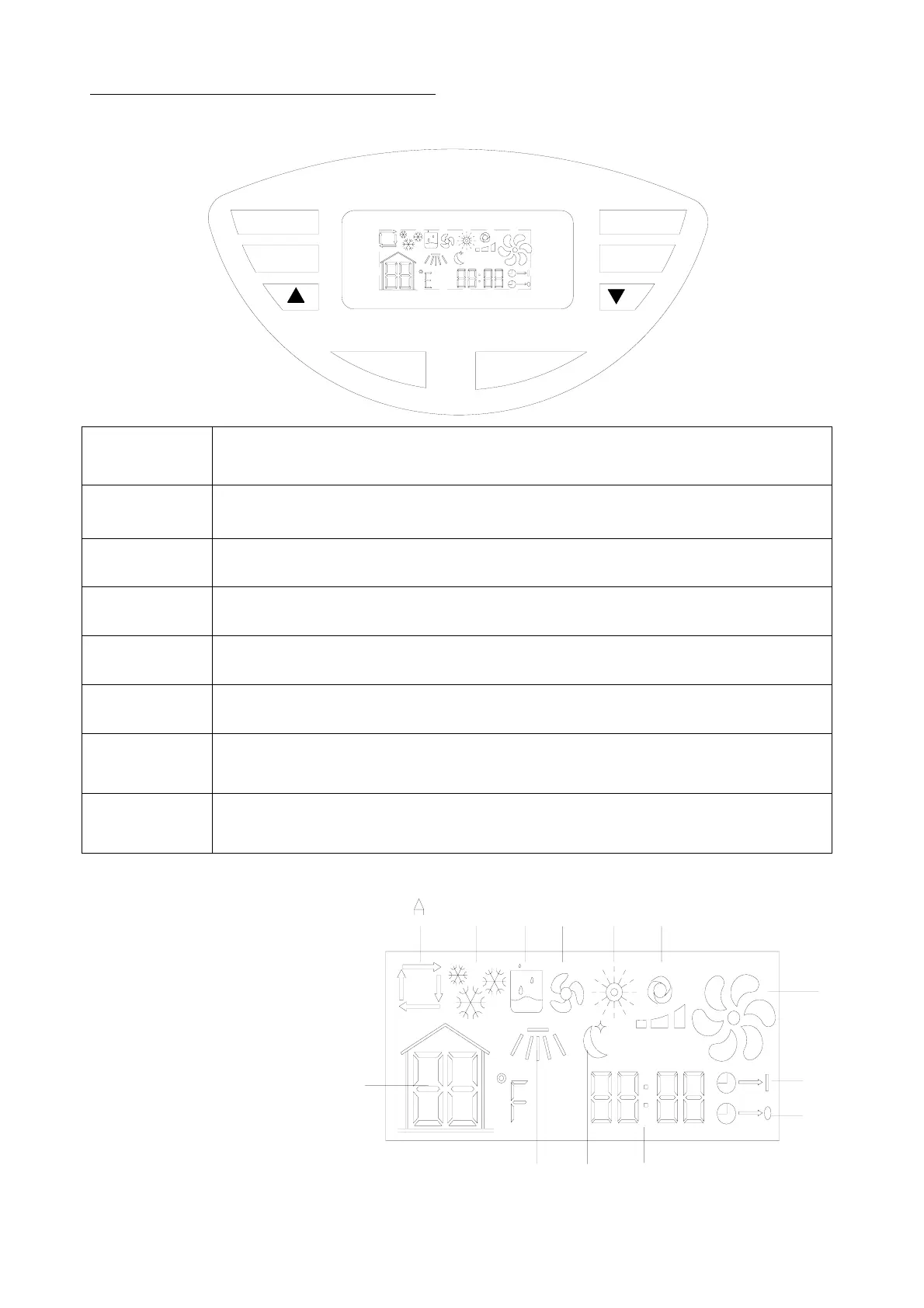
CONTROL PANEL
AM
PM
FAN SPEED
SWING
TIMER OFF
MODE
TIMER ON
ON/OFF
FAN SPEED
Button
During the modes of cooling, heating and fanning, press this button to choose high, medium or low
fan speed. In dehumidifying mode, this button is inoperable.
SWING Button Press this button to oscillate the vertical louvers or to stop oscillation.
∨
Button
This button decreases the room temperature/timer hours.
∧ Button
This button increases the room temperature/timer hours.
Power Button Press this button to turn the unit on or off.
MODE Button Press this button to select among the modes of auto, cooling, dehumidifying, fanning, or heating.
TIMER ON Buttom Press this button to turn the timer on.
TIMEROFF Bttom Press this button to turn the timer off.
MULTI-COLOR DISPLAY
A. Auto Mode
B. Cool Mode
C. Dehumidify Mode
D. Fan Mode
E. Heat Mode
F. Fan Speed (Low, High, Medium)
G. Temperature
H. Swing Mode
I. Sleep Mode
J. Clock and Timer
K. Timer On
L. Timer Off
M. Compressor is on
M
L
K
J
EF
PM
AM
G
H
BCD
I


 To Next Page