Whcooka fofot fi
tii yoneoveu ti
givo recia a guiOv
thermosova pero yea
ma“drifrthfactset
andifferi timbet
a olana neovo 5 t 1
minuarnounusa y
mab inclit thitht
neovi noperfoco
rect
Howevyoneovh
besecorrea thfaca
i moapt b accutht
ovi repla
?~~~ Plafoi ovebe
..
certt leaabo1-io
spabetwpaanwao
ovfogocirculo he
CloovdooDurbak
avofrequdoopent
prevundesiresu
1,;k> - .
.
.. ;: ./.
TuOVSEKnt
BAanOVTEKnt
temperao reco o Bak
Char
‘ .’ <,, : .-+:
,- ,; .
Chefofodone
a Illimtio reciCo
longi necessSwio he
anremfoo
y s i t tuo autom
o DeSta S (set
ovt tuo
automa a
latia tuo a a pr
sttiwib des
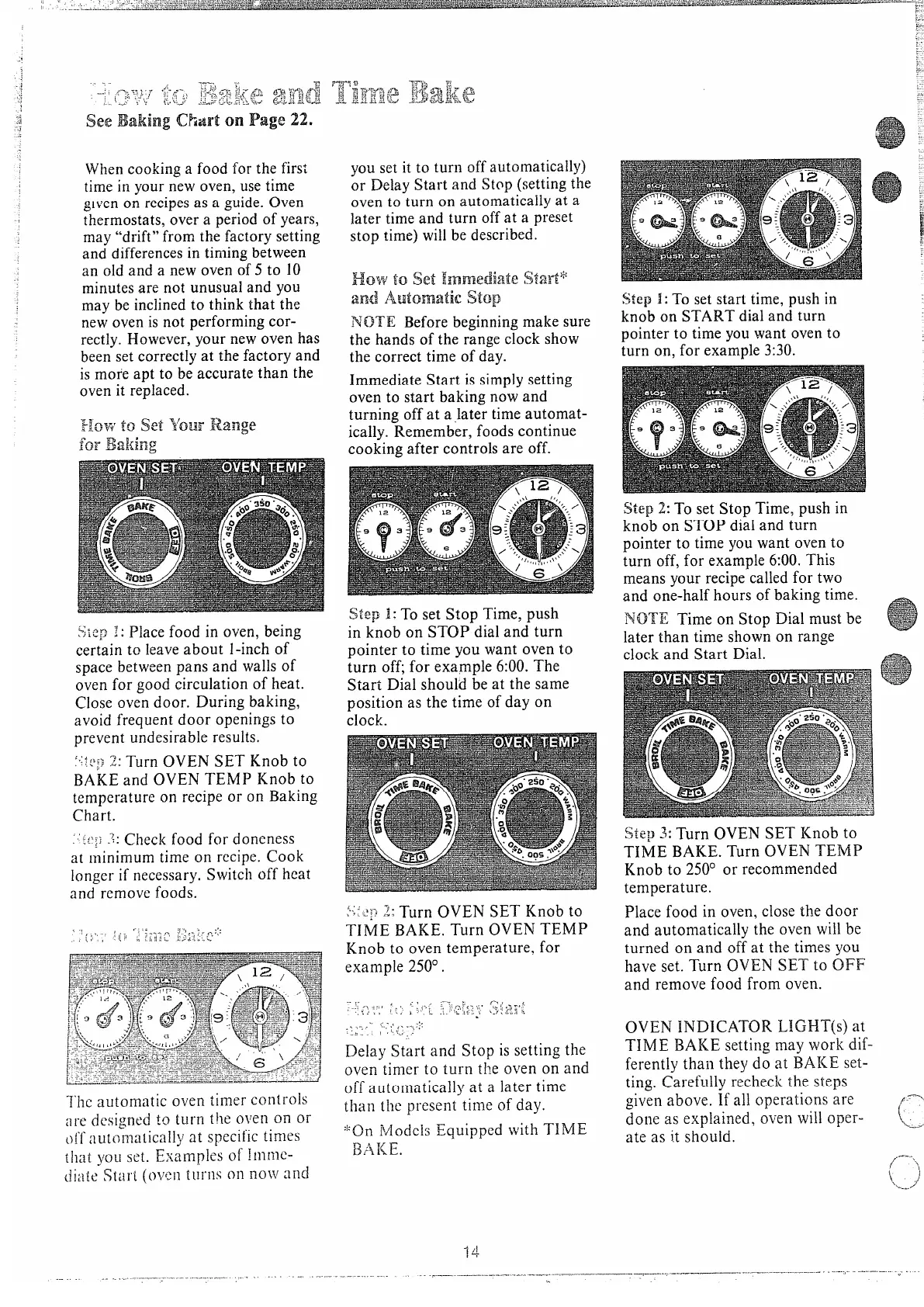
NOTE Bebeginningmake sure
the hands of the range clock show
the correct time of day.
Immediate Start is simplysetting
oven to start baking now and
turning off at a ,later time automat-
ically. Remember, foods continue
cooking after controls are off.
St1 T s StTip
i kno STd a t
poit tiy w o t
tuoff exa6:T
StDishb a t s
posa t tio d o
clo
,.
?.>
1 ‘ TuOVS K t
, ,...:.
. ...,
TIBATuO T
Knt ovtempf
exa25
- ,. ,., -- : ,
/-1 ,
..,
,-
r ~ : ~; , : -’, ; ,
,+ , -
-: >.. L .>
=. ., ,
. ,.
. . . . ,,, ,, ,,
.
.
..$ .
.........
-,
...
) = ‘ -.,
DeSta Sti set
ovtit tut o o a
o automa a lat
tft pretio d
‘{MoEquw T
~ , ~ ~.
S 1 T s s
time, push in
knob on START dial and turn
Pointer to time youwant oven to
i o f ex3
S 2 T s S T p i
k o S d a t
pot t y w o t
t o f e 6 T
m y r c f t
a onh o b t
N T o S D m b
l t t s o r
c a S D
Step 3: Turn OVEN SET Knob to
TIME BAKE. Turn OVEN TEMP
Knob to 250° or recommended
temperature.
P f i o c t d
a autt o w b
tuo a o a t t y
h s T O S t O
a
ref f o
OVEN INDICATOR LIGHT(s) at
TIME BAKE setting may work dif-
ferently
t t d a B s
t Car t s
g a I a opa
d a exo w o
a a i sh



 To Next Page