EasyManua.ls Logo

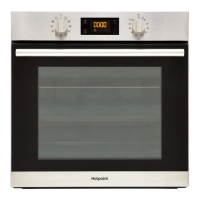
Hotpoint SA2840PIX - User Manual

Hotpoint SA2840PIX
8 pages
Print Icon
To Next Page IconTo Next Page
Loading...
EN
1
PRODUCT DESCRIPTION
DAILY REFERENCE
GUIDE
CONTROL PANEL
Before using the appliance carefully read the Health and Safety guide
1. Control panel
2. Fan
3. Lamp
4. Runners for accessories
(the level is indicated on the wall
of the cooking compartment)
5. Door
6. Door lock
(locks the door while automatic
cleaning is in progress and
afterwards)
7. Upper heating element/grill
8. Circular heating element
(not visible)
9. Identification plate
(do not remove)
10. Lower heating element
(not visible)
1. SELECTION KNOB
For switching the oven on by
selecting a function.
Turn to the
position to switch
the oven off.
2. LIGHT
With the oven switched on, press
to turn the oven compartment
lamp on or off.
3. SETTING THE TIME
For accessing the cooking time
settings, delayed start and timer.
For displaying the time when the
oven is off.
4. DISPLAY
5. ADJUSTMENT BUTTONS
For changing the cooking time
settings.
6. THERMOSTAT KNOB
Turn to select the temperature you
require when activating manual
functions. Automatic functions use
.
THANK YOU FOR PURCHASING AN
HOTPOINT PRODUCT
To receive more comprehensive help and
support, please register your product at
www. hotpoint. eu/ register
WWW
You can download the Safety Instructions
and the Use and Care Guide by visiting our
website docs . hotpoint . eu and following
the instructions on the back of this booklet.
1
2
3
4
5
9
10
8
7
6
1 32 4 5
6

Questions and Answers

Summary

Product Description

Control Panel

The main control panel with various functions and indicators for operating the oven.

Oven Components

Identifies key internal and external components of the oven, including heating elements and fan.

Control Panel Functions

Selection Knob

Used for switching the oven on by selecting a function and turning it off.

Light Button

Press to turn the oven compartment lamp on or off when the oven is switched on.

Time Setting Controls

Controls for setting cooking time, delayed start, and timer display.

Display

Shows the current time and cooking settings.

Adjustment Buttons

Buttons used for changing cooking time settings.

Thermostat Knob

Selects the required temperature for manual functions.

Accessories and Functions

Oven Accessories

Details of included accessories like wire shelf, dripping pan, and baking tray.

Inserting Accessories

Instructions on how to correctly insert wire shelves and other accessories.

Cooking Functions Overview

Explanation of various cooking functions like Conventional, Forced Air, Maxi Cooking, and Grill.

Specialized Functions

Details on functions like Rising, Eco Forced Air, Bread Auto, Pastry Auto, and Automatic Cleaning.

First Time Appliance Use

Setting the Time

Procedure for setting the clock on the appliance for the first time.

Initial Oven Heating

Instructions for heating the empty oven to remove manufacturing odours.

Daily Oven Operation

Selecting and Activating Functions

Steps to select a cooking function and activate it manually or automatically.

Preheating Process

Understanding the preheating phase indicated by signals and display.

Cooking Programming

Setting Cooking Duration

How to set the cooking time for a selected function.

Delayed Start Programming

Programming the end cooking time to delay the start of a function.

End of Cooking Notification

What happens and how to proceed when cooking is finished.

Timer and Cleaning Functions

Using the Timer

How to use the display as a timer independently of cooking.

Automatic Cleaning (Pyro)

Instructions and safety precautions for the automatic self-cleaning function.

Cooking Table

Maintenance and Cleaning

Exterior Surface Cleaning

Guidelines for cleaning the appliance's exterior surfaces safely.

Interior Surface Cleaning

Recommendations for cleaning the oven's interior surfaces.

Accessories Cleaning

Instructions for cleaning oven accessories.

Door Removal and Refitting

Step-by-step guide on how to remove and reinstall the oven door.

Cleaning the Oven Door Glass

Procedure for cleaning the glass panes of the oven door.

Troubleshooting

Useful Tips and Support

Reading the Cooking Table

Guidance on how to interpret the cooking table for best results.

Cooking Multiple Foods

Tips for cooking different foods simultaneously using the Forced Air function.

Bread Auto Function Usage

Detailed instructions and recipe for optimal results with the Bread Auto function.

Product Fiche Information

Information on how to access the product fiche for energy data.

Obtaining Use and Care Guide

Instructions on how to download the full Use and Care Guide online.

Contacting After-Sales Service

Guidance on how to contact customer support for service and inquiries.

Summary

Product Description

Control Panel

The main control panel with various functions and indicators for operating the oven.

Oven Components

Identifies key internal and external components of the oven, including heating elements and fan.

Control Panel Functions

Selection Knob

Used for switching the oven on by selecting a function and turning it off.

Light Button

Press to turn the oven compartment lamp on or off when the oven is switched on.

Time Setting Controls

Controls for setting cooking time, delayed start, and timer display.

Display

Shows the current time and cooking settings.

Adjustment Buttons

Buttons used for changing cooking time settings.

Thermostat Knob

Selects the required temperature for manual functions.

Accessories and Functions

Oven Accessories

Details of included accessories like wire shelf, dripping pan, and baking tray.

Inserting Accessories

Instructions on how to correctly insert wire shelves and other accessories.

Cooking Functions Overview

Explanation of various cooking functions like Conventional, Forced Air, Maxi Cooking, and Grill.

Specialized Functions

Details on functions like Rising, Eco Forced Air, Bread Auto, Pastry Auto, and Automatic Cleaning.

First Time Appliance Use

Setting the Time

Procedure for setting the clock on the appliance for the first time.

Initial Oven Heating

Instructions for heating the empty oven to remove manufacturing odours.

Daily Oven Operation

Selecting and Activating Functions

Steps to select a cooking function and activate it manually or automatically.

Preheating Process

Understanding the preheating phase indicated by signals and display.

Cooking Programming

Setting Cooking Duration

How to set the cooking time for a selected function.

Delayed Start Programming

Programming the end cooking time to delay the start of a function.

End of Cooking Notification

What happens and how to proceed when cooking is finished.

Timer and Cleaning Functions

Using the Timer

How to use the display as a timer independently of cooking.

Automatic Cleaning (Pyro)

Instructions and safety precautions for the automatic self-cleaning function.

Cooking Table

Maintenance and Cleaning

Exterior Surface Cleaning

Guidelines for cleaning the appliance's exterior surfaces safely.

Interior Surface Cleaning

Recommendations for cleaning the oven's interior surfaces.

Accessories Cleaning

Instructions for cleaning oven accessories.

Door Removal and Refitting

Step-by-step guide on how to remove and reinstall the oven door.

Cleaning the Oven Door Glass

Procedure for cleaning the glass panes of the oven door.

Troubleshooting

Useful Tips and Support

Reading the Cooking Table

Guidance on how to interpret the cooking table for best results.

Cooking Multiple Foods

Tips for cooking different foods simultaneously using the Forced Air function.

Bread Auto Function Usage

Detailed instructions and recipe for optimal results with the Bread Auto function.

Product Fiche Information

Information on how to access the product fiche for energy data.

Obtaining Use and Care Guide

Instructions on how to download the full Use and Care Guide online.

Contacting After-Sales Service

Guidance on how to contact customer support for service and inquiries.

Hotpoint SA2840PIX Specifications

General IconGeneral
BrandHotpoint
ModelSA2840PIX
CategoryRanges
LanguageEnglish

Related product manuals