+
SPEED MODE
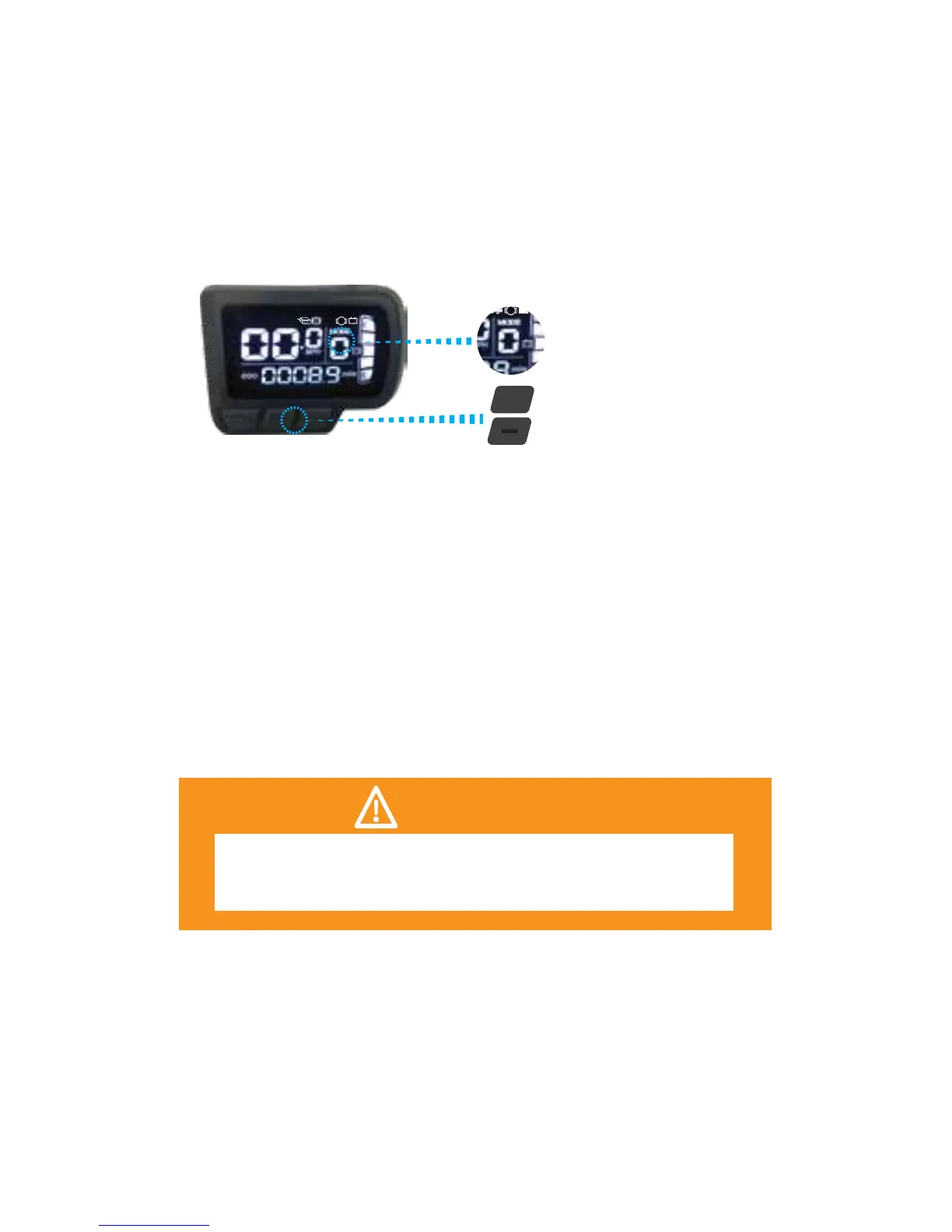
MODE ADJUST
PEDAL-ASSIST MODE
There are 4 pedal-assist mode levels to choose from:
0 - No assistance 1 - Low 2 - Medium 3 - High
Your mode level will be displayed on the LCD screen. To
engage the pedal-assist mode, press the [+] button on the
display to increase your mode level. Press the [-] button to
decrease your mode level.
After you have chosen your mode level, begin to pedal
your Fuel. You will feel the motor engage and assist you
while you pedal, making your ride easier.
You can always ride your Fuel like a standard bike if your
battery pack runs out of power.
WEIGHT AND SPEED LIMITATIONS
Speed and weight limits are set for your own safety. Please
do not exceed the limits listed in the specications section
of this manual.


 To Next Page