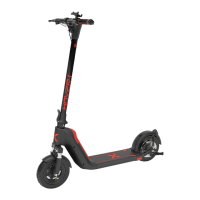
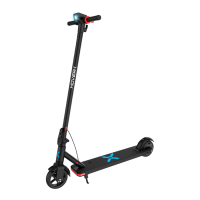
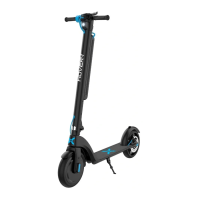
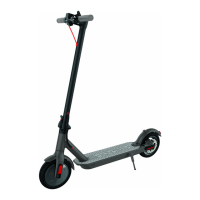
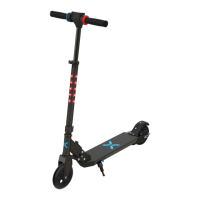
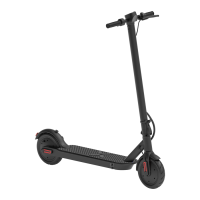
Ideal for both indoor and outdoor use, the H1 scooter features a
water-resistant, weatherized case that protects its components from
splashing water. This ensures that the high-quality tech within the H1 is
protected while riding around outdoors & indoors and getting caught
in the rain.
NOTE: The H1 scooter should not be subject to prolonged exposure to
water or submerged. Doing so will damage your H1 scooter and
invalidate the manufacturer’s warranty.
It is important that you fully understand all elements of your H1
scooter. If these elements are not used correctly, you will not have full
control of your H1. Before you ride, or ride outside of a controlled
environment, learn the functions of the various mechanisms on your
scooter.
Practice using these elements of your H1 at slower speeds in a flat,
open area before taking the device out in public areas.
PRE-RIDE CHECKLIST
Ensure that your H1 scooter is in proper working order each and every
time you ride. If a part of the scooter does not function correctly,
please contact our Customer Support Center.
• Ensure the battery is fully charged before riding your scooter.
• If the H1 is not to be used for an extended period of time, please
recharge the battery every 2 months to maintain the battery life.
• Ensure that the screws on the front and back tires are locked firmly
before each ride.
The H1 has a powerful built-in wireless speakers so you can play your
music while riding.
PAIRING THE SPEAKER
1. Ensure your H1 is turned off. If it is not, please turn off your Hover-1 first
before pairing.
2. Turn on your H1 and the speakers will announce that it’s waiting for
a Bluetooth
®
connection. This will indicate your H1 speaker is now in
pairing mode.
3. Place the H1 and the Bluetooth
®
device to which you would like to
pair it within the operating distance. We recommend keeping the two
devices no further than 3 feet apart during pairing.
4. Ensure Bluetooth
®
is enabled on your phone or music device. Refer
to manufacturer’s instructions for how to enable Bluetooth
®
on your
device.
5. Once you have activated Bluetooth
®
on your device, select the
option “HY-H1” from the list of available Bluetooth
®
devices.
6. If required, enter the PIN code "000000" and confirm the entry.
7. Please note, pairing mode on the Hover-1 will last for two minutes. If
no devices are paired after two minutes, the H1 speaker will
automatically return to standby mode.
8. If pairing is unsuccessful, turn off the H1 first and re-pair following the
aforementioned steps.
NOTE: Once you have paired the H1 speaker with a device, the
speaker will remember this device and will pair automatically when
the device’s Bluetooth
®
is activated and in range. You do not need to
re-pair any previously connected devices.
Your H1 can pair up to two multi-point devices. You can reconnect a
previously paired device without going through the pairing or PIN
process on up to two devices.
LISTENING TO MUSIC
Once the H1 Bluetooth speaker is paired to your device, you can
stream music wirelessly through it. Only one speaker will play music as
the other speaker is strictly for safety alerts from your Hover-1. Select
the track you wish to listen to on your device to listen via the speakers.
All volume and track controls will be made using your music device.
Should you encounter any problems while streaming, please refer to
your device’s user manual.


 To Next Page
 Loading...