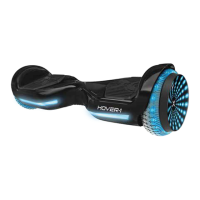
CHARGING YOUR H1
BATTERY CARE / MAINTENANCE
CHARGING THE DEVICE
• Ensure that the charging port is clean and dry.
• Make sure that there is no dust, debris or dirt inside the port.
• Plug the charger into a grounded wall outlet.
• Connect the cable with the power supply (100V ~ 240V; 50, 60 Hz).
• Ensure the light on the charger is lit GREEN.
• Align and connect the 3-pin charging cable into the charging port
of the H-1. DO NOT FORCE THE CHARGER INTO THE CHARGE PORT, AS
THIS MAY CAUSE THE PRONGS TO BREAK OFF OR PERMANENT
DAMAGE TO THE CHARGE PORT. Broken prongs and/or damage to
the charge port, are not covered by warranty.
• The charging indicator light should change to RED, indicating that
your device is now being charged.
• When the RED indicator light on your charger turns to GREEN, then
your device is fully charged.
• A full charge may take up to 3.5 hours.
• After fully charging your H1, unplug the charger from your device
and from the power outlet.
BATTERY SPECIFICATIONS
Battery Type: Rechargeable lithium-ion battery
Charge Time: Up to 3.5 hours
Voltage: 36V
Initial Capacity: 4.0 AH
Working Temperature: 14°F - 140°F
Charging Temperature: 32°F - 113°F
Storage Time: 1 year
Storage Temperature: 77°F
Storage Humidity: 45% - 75%
BATTERY MAINTENANCE
The lithium-ion battery is built into the device. Do not disassemble the
device to remove the battery or attempt to separate it from the
device.
• When charging the device, please use the enclosed 3-pin
charging cable or otherwise ensure that the battery charging
conditions are met.
• Do not connect or attach the device or the battery to a power
supply plug or directly to a car’s cigarette lighter.
• Do not place the device or batteries near a fire, or into direct sunlight.
Heating the device and/or the battery can cause additional heating,
breaking, or ignition of the battery inside the device.
• Do not continue charging the battery if it does not recharge within
the specified charging time. Doing so may cause the battery to
become hot, rupture, or ignite.
To preserve natural resources, please recycle or dispose of batteries
properly. This product contains lithium-ion batteries. Local, state, or
federal laws may prohibit disposal of lithium-ion batteries in ordinary
trash. Consult your local waste authority for information regarding
available recycling and/or disposal options.
• Do not attempt to modify, change, or replace your battery.
• Do not use your device if the battery begins to emit odor,
overheats, or begins to leak.
• Do not touch any leaking materials or breathe fumes emitted.
• Do not allow children and animals to touch the battery.
• The battery contains dangerous substances, do not open the
battery, or insert anything into the battery.
• Use only the charger supplied by Hover-1.
• Do not attempt to charge the device if the battery has discharge
or emits any substances. In that case, immediately distance yourself
from the battery in case of fire or explosion.
• Lithium-ion batteries are considered to be hazardous materials.
Please follow all local, state and federal laws in regards to recycling,
handling and disposing of Lithium-ion batteries.
All manuals and user guides at all-guides.com


 To Next Page
 Loading...