26 Chapter 5Maintain the unit
HP Color Copier
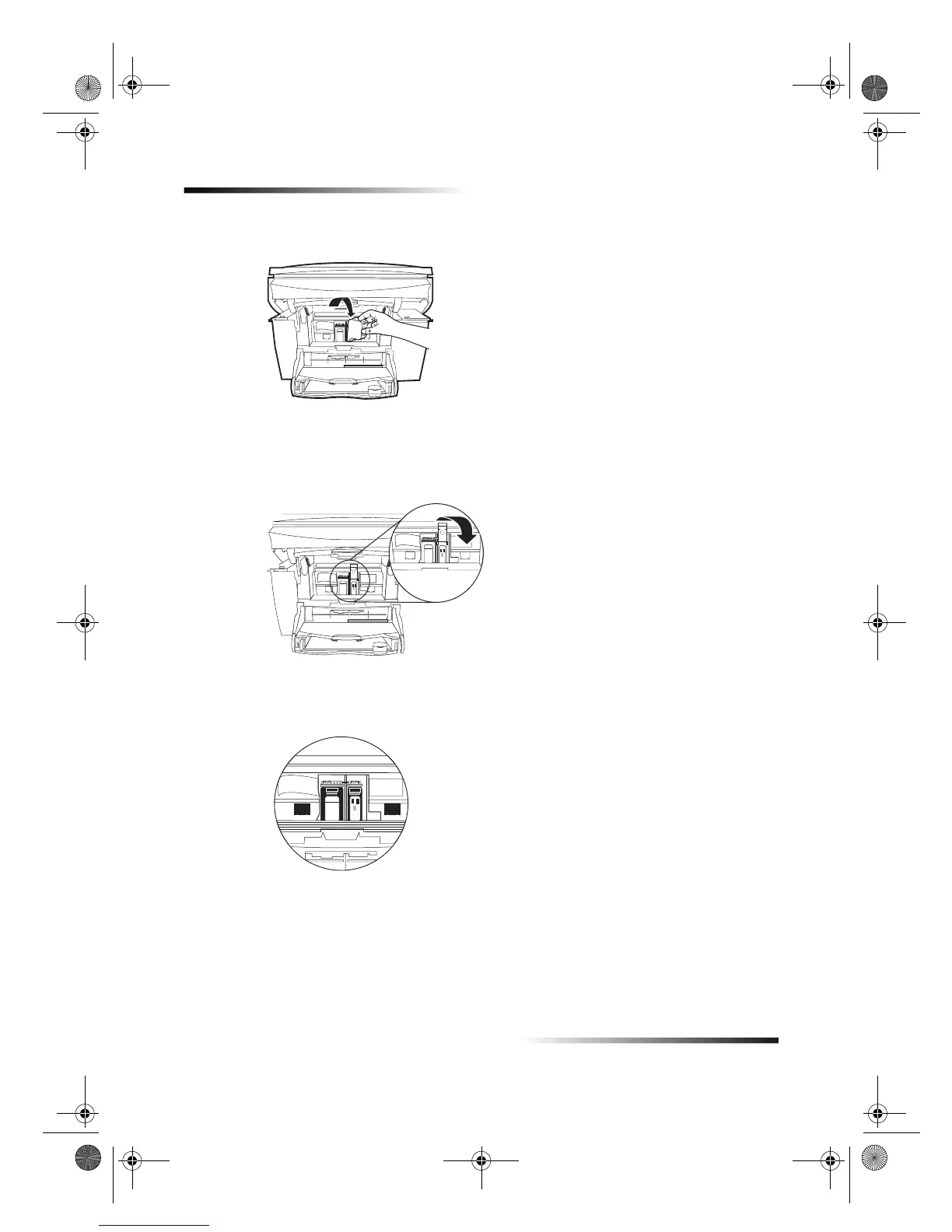
4 Push the new black cartridge firmly down into the slot on the right.
The print-cartridge label should be facing you after the cartridge is inserted.
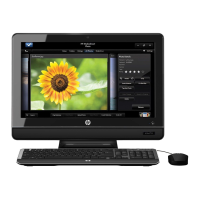
5 Lower the print-cartridge latch down onto the top of the cartridge, and push down
until the latch locks firmly into place.
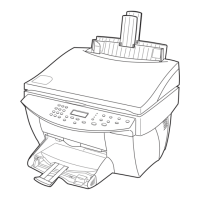
After you are done, all cartridges should be in place and the latches should be
closed.
6 If you are also replacing the color cartridge, perform the steps outlined in Replace
the color print cartridge before continuing.
7 Close the print-cartridge access door.
8 After the message appears in the front-panel display, press ENTER to align the
cartridge.
A page prints to confirm alignment. You can either discard or recycle this page.
Cam.book Page 26 Friday, February 25, 2000 11:32 AM


 To Next Page