Chapter 1Review your units front panel 1
1
Review your unit’s front panel
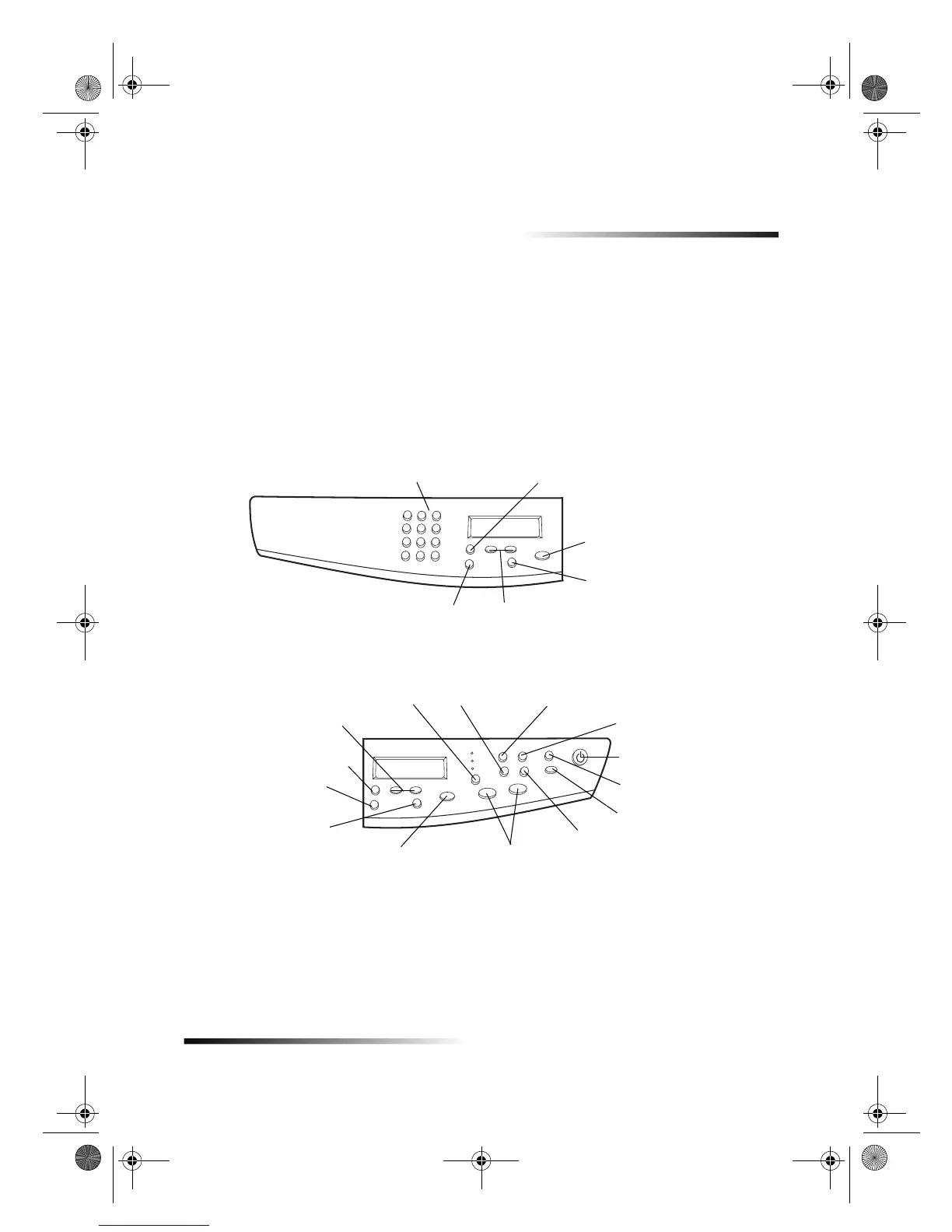
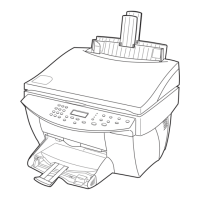
You operate your HP Color Copier using the front panel. You change the settings by
using the front-panel buttons and menu system.
Access various copy settings.
Scroll through copy-setting options.
Select or save displayed entry.
Use keypad to enter the number of copies or
reduction/enlargement percentages.
Stop job, or exit menu.
Left side of front panel
Lighten or darken a copy.
Turn unit on/off.
Access various copy settings.
Scroll through copy-setting
options.
Select or save displayed
entry.
Stop job, or exit menu.
Start copy.
Access special copy features, such
as Clone or Poster.
Enlarge or reduce original
to fit on one page.
Right side of front panel
Set the number of copies.
Lighten or darken a copy.
Select paper type.Set copy quality.
Select reduction/
enlargement features.
Set Photo Mode.
Cam.book Page 1 Friday, February 25, 2000 11:32 AM


 To Next Page