Chapter 6Troubleshoot your unit 31
6
Troubleshoot your unit
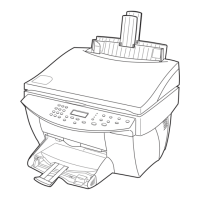
This section provides procedures and tips for resolving issues that you may encounter
while working with your HP Color Copier.
Clear a paper jam
Follow these steps to clear a paper jam.
If the paper has jammed where it enters the unit, take the edge of the paper, and
gently pull the paper out the front of the unit.
If the paper has crumpled and jammed in the back of the unit, unlock and remove
the back door. Gently pull the paper out of the rollers. Replace and lock the back
door.
If the paper has jammed where it exits the unit, grasp the leading edge of the paper,
and pull the paper out through the output tray.
NOTE
If you turned the unit off before clearing the paper jam, turn it back on, and then
restart your copying job.
Cam.book Page 31 Friday, February 25, 2000 11:32 AM


 To Next Page