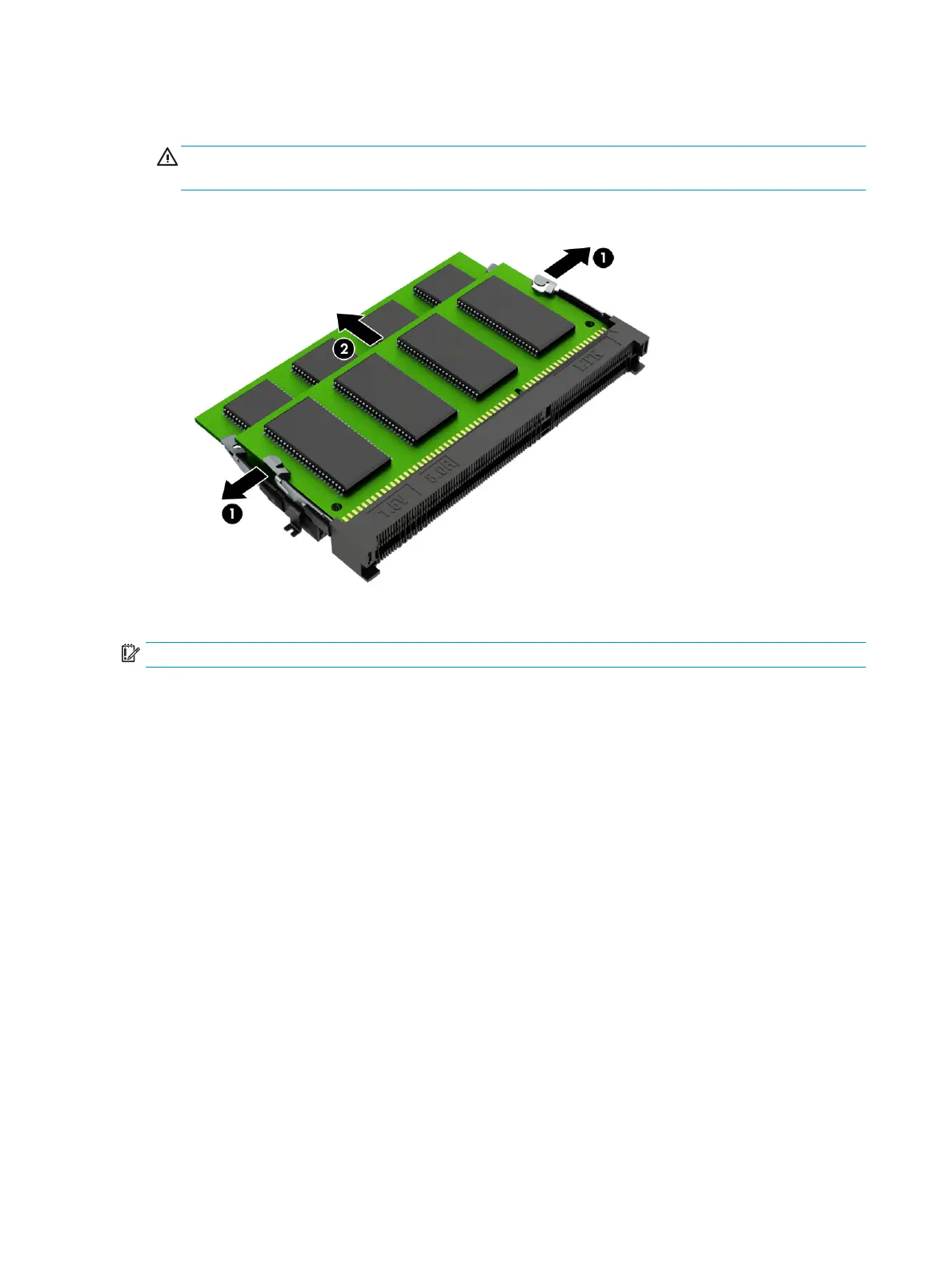
2. Grasp the edge of the memory module (2), and then gently pull the module out of the slot. Use the same
procedure to remove both memory modules.
CAUTION: To prevent damage to the memory module, hold the memory module by the edges only. Do
not touch the components on the memory module.
To protect a memory module after removal, place it in an electrostatic-safe container.
Reverse this procedure to install a memory module.
IMPORTANT: If only one memory module is installed, it must be installed in the bottom slot.
44 Chapter 5 Removal and replacement procedures for Authorized Service Provider parts


 To Next Page
 Loading...