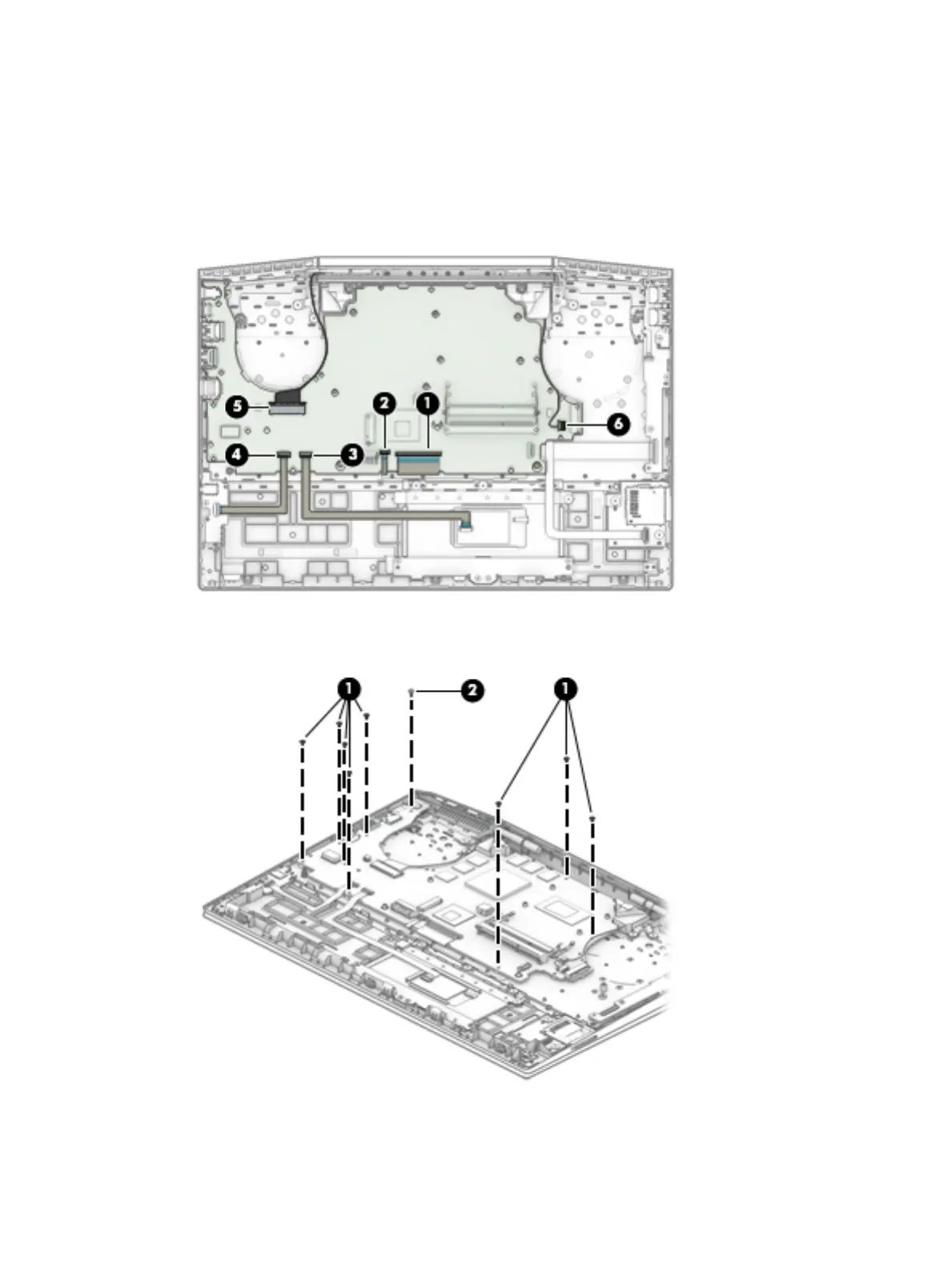
(2): Keyboard backlight cable (ZIF)
(3): TouchPad cable (ZIF)
(4): Audio board cable (ZIF)
(5): Display cable (ZIF)
(6): Speaker cable
2. Remove the eight Phillips M2.0×3.0 screws (1) that secure the system board to the computer.
3. Remove the Phillips M2.0×5.0 screw (2) that secures the system board to the computer.
Component replacement procedures 61


 To Next Page
 Loading...