Component Description
WARNING! To reduce the risk of personal injury, adjust the
volume before putting on headphones, earbuds, or a headset.
For additional safety information, refer to the Regulatory,
Safety, and Environmental Notices.
To access this guide in Windows 8.1, from the Start screen, type
support, and then select the HP Support Assistant app.
To access this guide in Windows 10, select the Start button,
select All apps, select HP Help and Support, and then select HP
Documentation.
NOTE: When a device is connected to the jack, the computer
speakers are disabled.
NOTE: Be sure that the device cable has a 4-conductor
connector that supports both audio-out (headphone) and audio-
in (microphone).
(10) Hard drive light Blinking white: The hard drive is being accessed.
(11) Power light
●
On: The computer is on.
●
Blinking: The computer is in the Sleep state, a power-
saving state. The computer shuts o power to the display
and other unneeded components.
●
O: The computer is o or in Hibernation. Hibernation is a
power-saving state that uses the least amount of power.
Top
TouchPad
Component Description
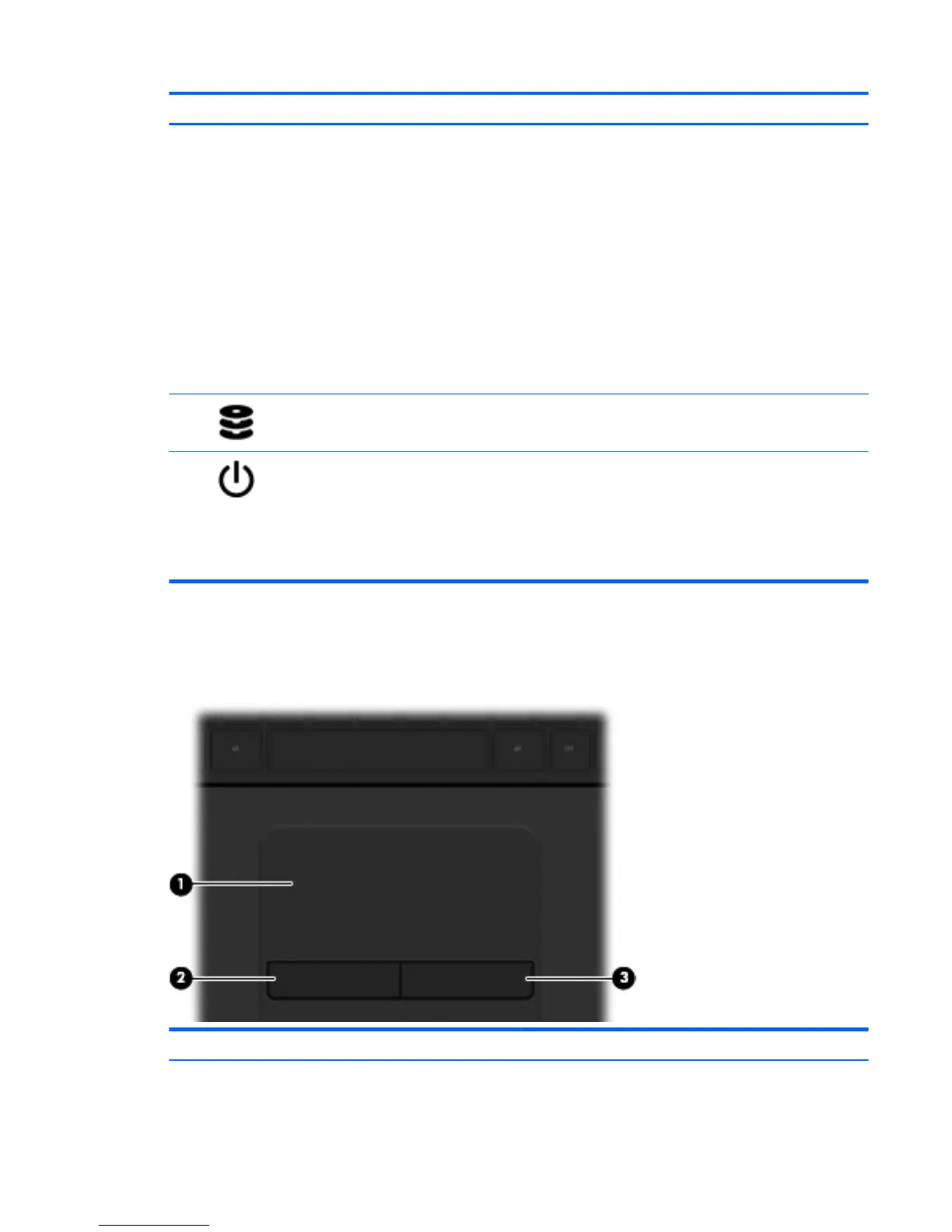
(1) TouchPad zone Moves the on-screen pointer and selects or activates items on the
screen.
Top 9



 To Next Page