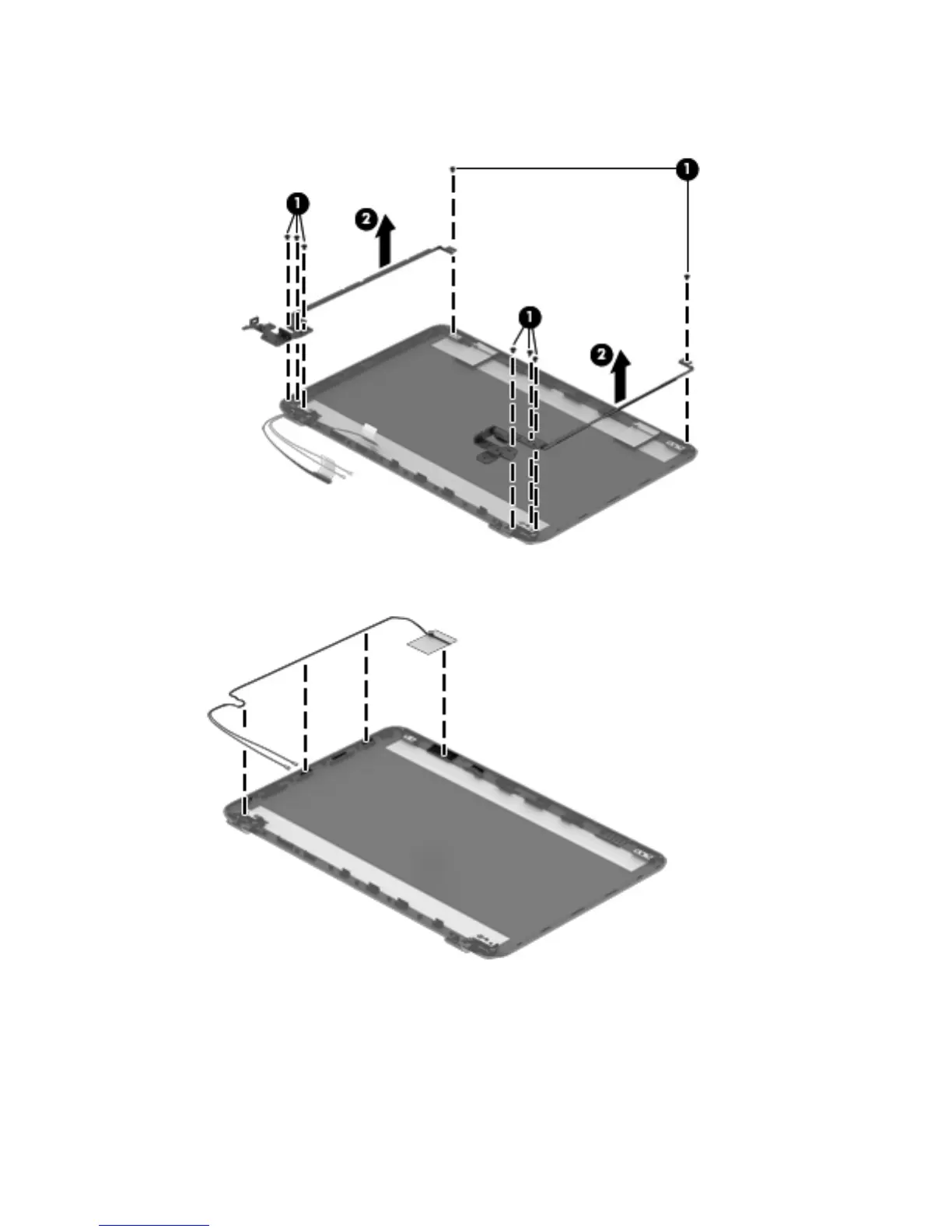
a. Remove the eight Phillips PM2.5×3.5 screws (1) that secure the display hinges to the display panel.
b. Remove the display hinges (2).
5. To remove the wireless antenna cables and transceivers, release the wireless antenna cables from the
clips built into the display enclosure.
Component replacement procedures 71



 To Next Page