Routing the Cables
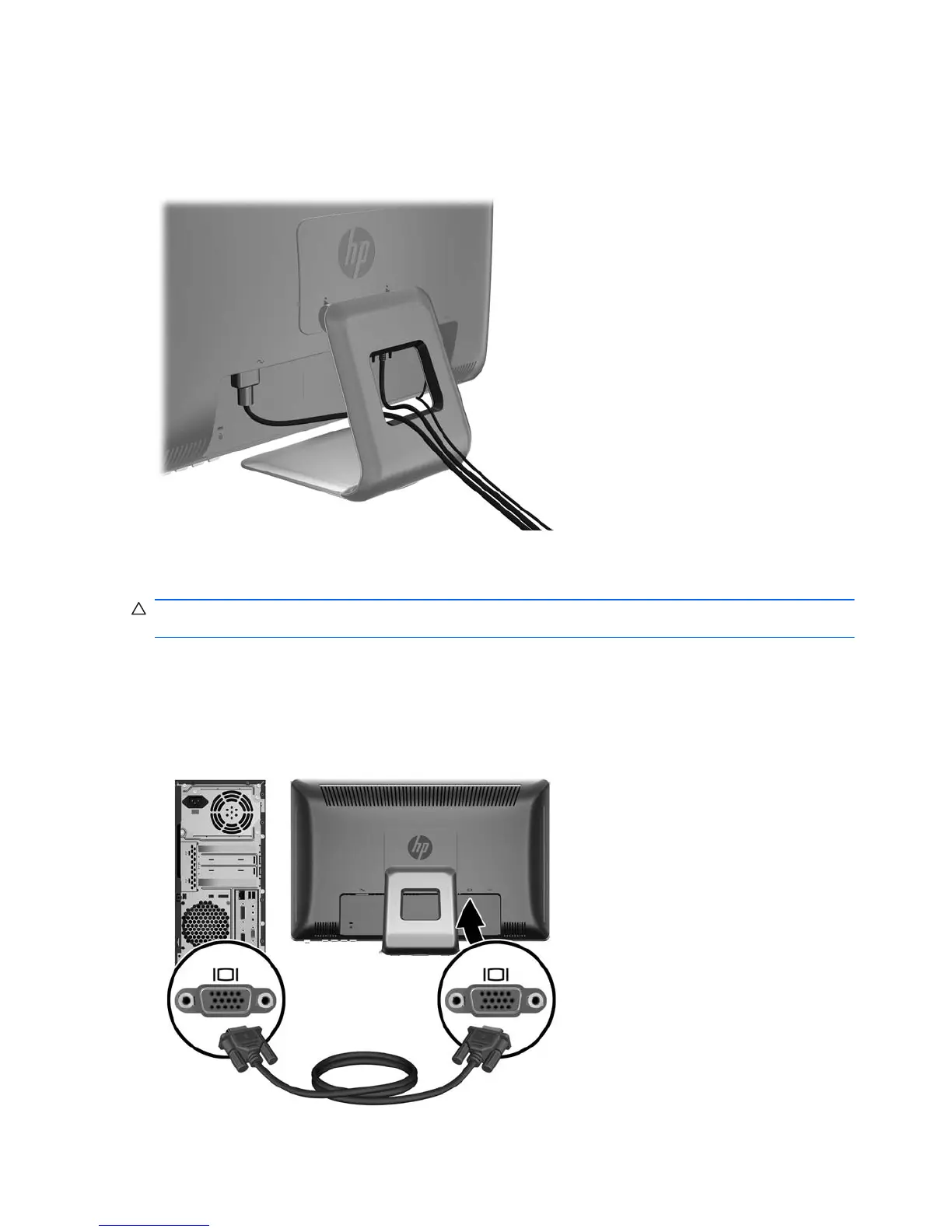
Before connecting the cables, route them through the cable routing hole in the center of the stand.
Figure 3-3 Routing Cables
Connecting the Cables
CAUTION: Before connecting cables to the monitor, ensure that the computer and the monitor are
powered off.
Connecting the VGA (Analog) Video Cable (HP 2310ti Model Only)
For analog operation, connect one end of a VGA signal cable (sold separately) to the VGA connector
on the rear of the monitor and the other end to the VGA connector on the computer.
Figure 3-4 Connecting the VGA Cable
6 Chapter 3 Setting Up the Monitor ENWW



 To Next Page