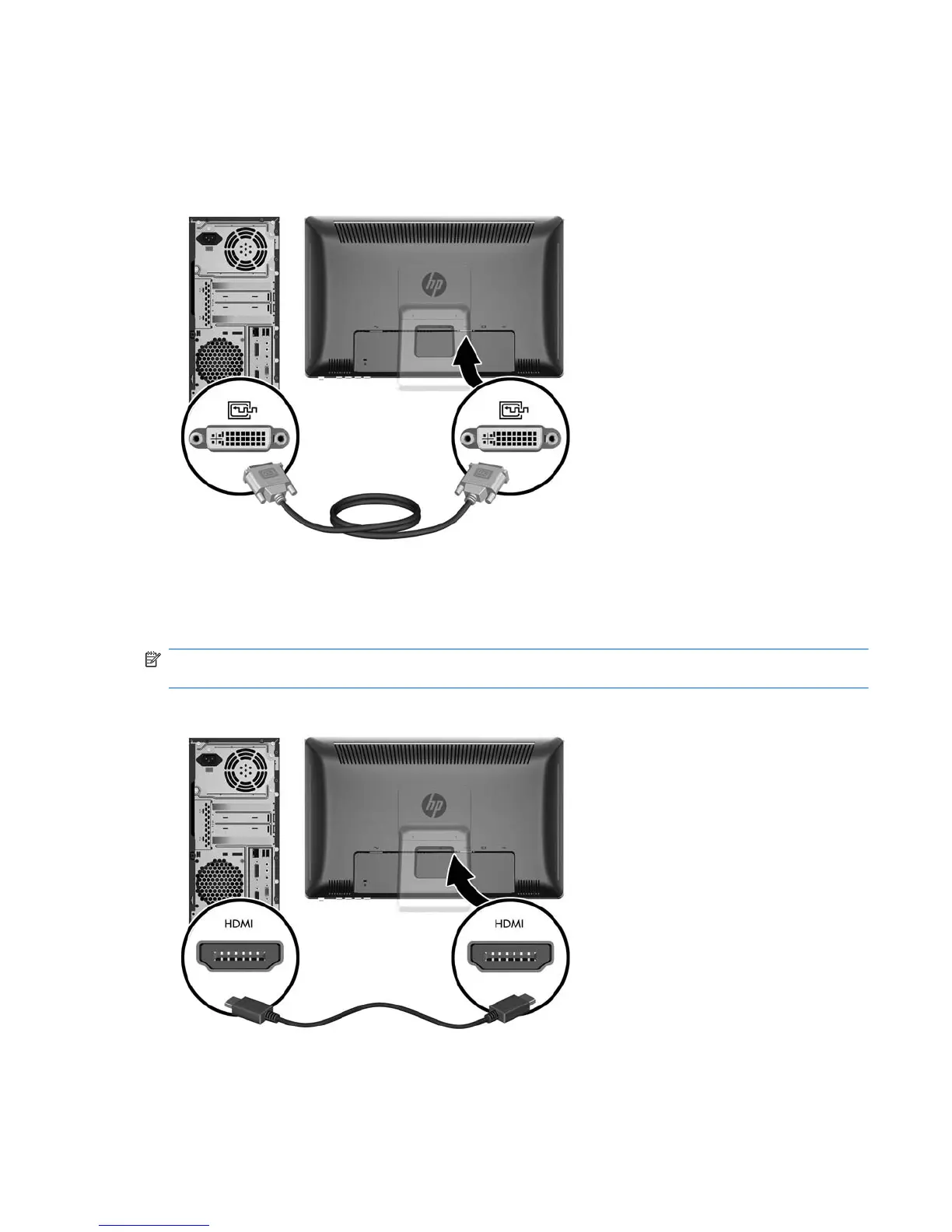
Connecting the DVI-D (Digital) Video Cable
For DVI digital operation, connect one end of the provided DVI-D signal cable to the DVI connector on
the rear of the monitor and the other end to the DVI connector on the computer.
Figure 3-5 Connecting the DVI-D Cable
Connecting the HDMI (Digital) Video Cable (HP 2310t Model Only)
For HDMI digital operation, connect one end of an HDMI signal cable (sold separately) to the rear of
the monitor and the other end to a computer or other device with an HDMI connector.
NOTE: The HDMI cable supports digital audio and video signals. You do not need to connect a
separate audio cable when using an HDMI cable.
Figure 3-6 Connecting the HDMI Cable
ENWW Connecting the Cables 7



 To Next Page