Introduction
IntroductionIntroduction
Introduction
HP provides a portfolio of professional-grade accessories that deliver an ideal mobile office designed to help you achieve your
business goals, increase productivity and lower your costs. All HP accessories go through rigorous testing and are certified to work
seamlessly with your HP Business Notebook. They are backed up by HP's world-class support.
HP docking solutions include a range of convenient expansion solutions that easily connect to your HP Business Notebook or Tablet
PC. Create an ideal desktop computing environment using docking stations and stands that provide port replication and cable
management, as well as enable future expandability.
HP is committed to delivering the optimal mobile computing experience by offering industry-leading accessories for every mobile
user, whether you are a frequent traveler or rarely leave your desk. Enjoy return on investment from these easy-to-use, easy-to-
deploy, and easy-to-manage expansion solutions.
Models
ModelsModels
Models
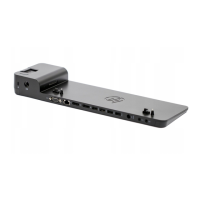
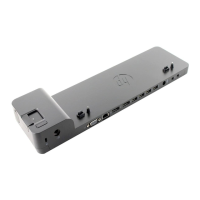
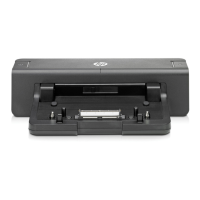
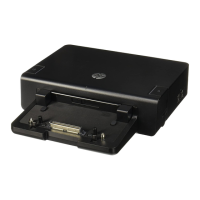
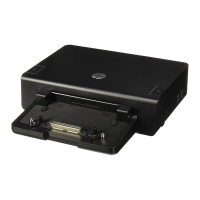
HP 2540 Docking Station
VU895AA
HP Docking Station Cable Lock
AU656AA#XXX
HP 2540 Docking Station Front Components
HP 2540 Docking Station Front ComponentsHP 2540 Docking Station Front Components
HP 2540 Docking Station Front Components
1.
Docking posts
5.
Docking connector
2.
Computer connect/release mechanisms
6.
Connect button
3.
Power button
7.
Connect light
4.
Computer power light
HP 2540 Docking Station Rear/Right-Side Components
HP 2540 Docking Station Rear/Right-Side ComponentsHP 2540 Docking Station Rear/Right-Side Components
HP 2540 Docking Station Rear/Right-Side Components
QuickSpecs
HP 2540 Docking Station
HP 2540 Docking StationHP 2540 Docking Station
HP 2540 Docking Station
Overview
DA - 13634 Worldwide — Version 4 — April 13, 2011
Page 1

 Need help?
 General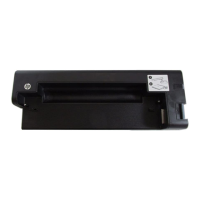

 To Next Page