EasyManua.ls Logo

HP 3490A - Page 166

HP 3490A
298 pages
Print Icon
To Next Page IconTo Next Page
To Previous Page IconTo Previous Page
Loading...
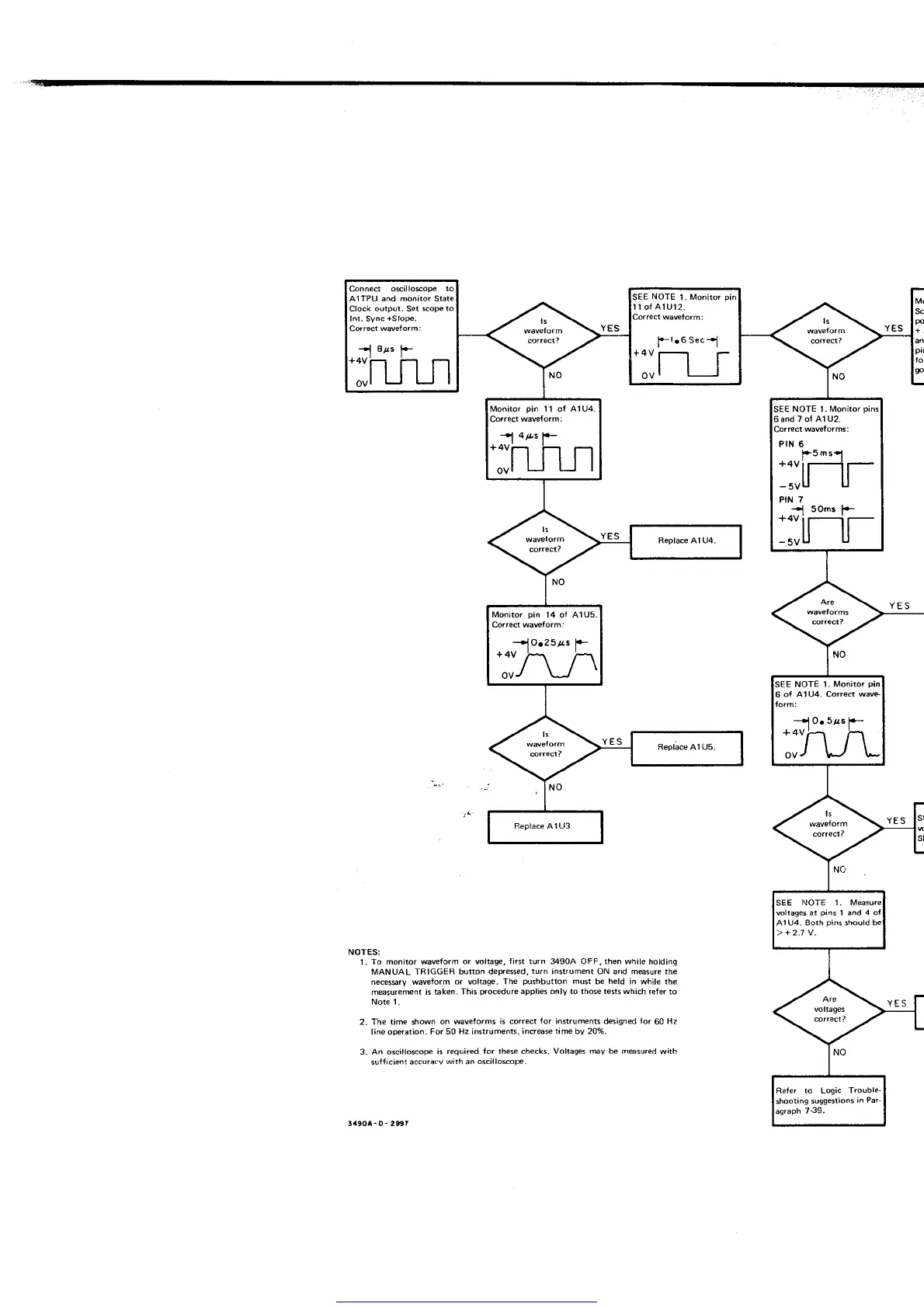
Connect oscillosope
to
AlTPU and monitor State
Clock output. Set scope
to
Inr. Sync
+Slope.
Correct
waveform:
SEE
NOTE
t.
Monitor
11 ol AlUl2.
SE€
NOTE 1.
Monitor
pins
and 7 of A1
U2.
l+5nsl
:;[-r
t'!
.o."
1-
_,;ljl-
Monitor
pin
11
ol
A1U4.
Monitor
pin
14 oI A'lUs
Correct waveform:
E
NOTE 1.
Monitor
pin
1U4. Both
pins
should
Refer
to Loqic
Trouble-
shooting
suggestions
in Par-
agraph
7-39.
M(
Sct
po
+i
YES
YES
YES
NOTES:
1.
To monitor waveform or
voltage, first turn 34904 OFF, then while
holding
MANUAL
TRIGGER button
detressed,
turn
instrument ON and m@sure the
necesgry waveform
or
voltage.
The
pushbutton
must
be
held
in while the
measurement
is bken-
This
procedure
applies oßly to those tests which
refer to
Note
1
.
2. The time shown
on waveforms is
correct
for
instruments designed lor
60
Hz
line operation.
For 50 Hz instruments,
increase time by 20%.
3- An oscilloscope
is
required {or these checks. Voltages
ruv
be
m@sured
with
sufJicient
accuracv
wiih
an
oscilloscope.
34904- 0
-
2$7
Get other manuals https://www.bkmanuals.com

Table of Contents

Related product manuals