1. Identify the specific installation location for each AP.
2. Install each AP.
3. Verify connectivity.
4. Connect to the HP Cloud Network Manager.
HP, in compliance with governmental requirements, has designed the
HP 350 so that only authorized network administrators can change the
settings.
APsare radio transmission devices and as such are subject to
governmental regulation. Network administrators responsible for the
configuration and operation of APsmust comply with localbroadcast
regulations. Specifically, APs must use channel assignments appropriate
to the location in which the access point will be used.
Identifying specific installation locations
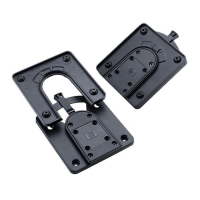
You can mount the HP 350 on the ceiling using the included rail adapters, or on a wall
using the optionalHP 350 AP WallMount Kit (JL018A). Each location should be as close
as possible to the center of the intended coverage area and should be free from
obstructions or obvious sources of interference. These obstructions and interference
sources will impact RF propagation and must be accounted for during the planning phase
and adjusted for in the RF plan.
HP 350 Cloud-Managed 802.11n AP| Installation Guide 11











 To Next Page