Getting started 1-29
Complex numbers
Complex results The hp 39g+ can return a complex number as a result for
some math functions. A complex number appears as an
ordered pair (x, y), where x is the real part and y is the
imaginary part. For example, entering returns (0,1).
To enter complex
numbers
Enter the number in either of these forms, where x is the
real part, y is the imaginary part, and i is the imaginary
constant, :
• (x, y) or
• x + iy.
To enter i:
• press
or
• press , or keys to select Constant,
to move to the right column of the menu, to
select i, and .
Storing complex
numbers
There are 10 variables available for storing complex
numbers: Z0 to Z9. To store a complex number in a
variable:
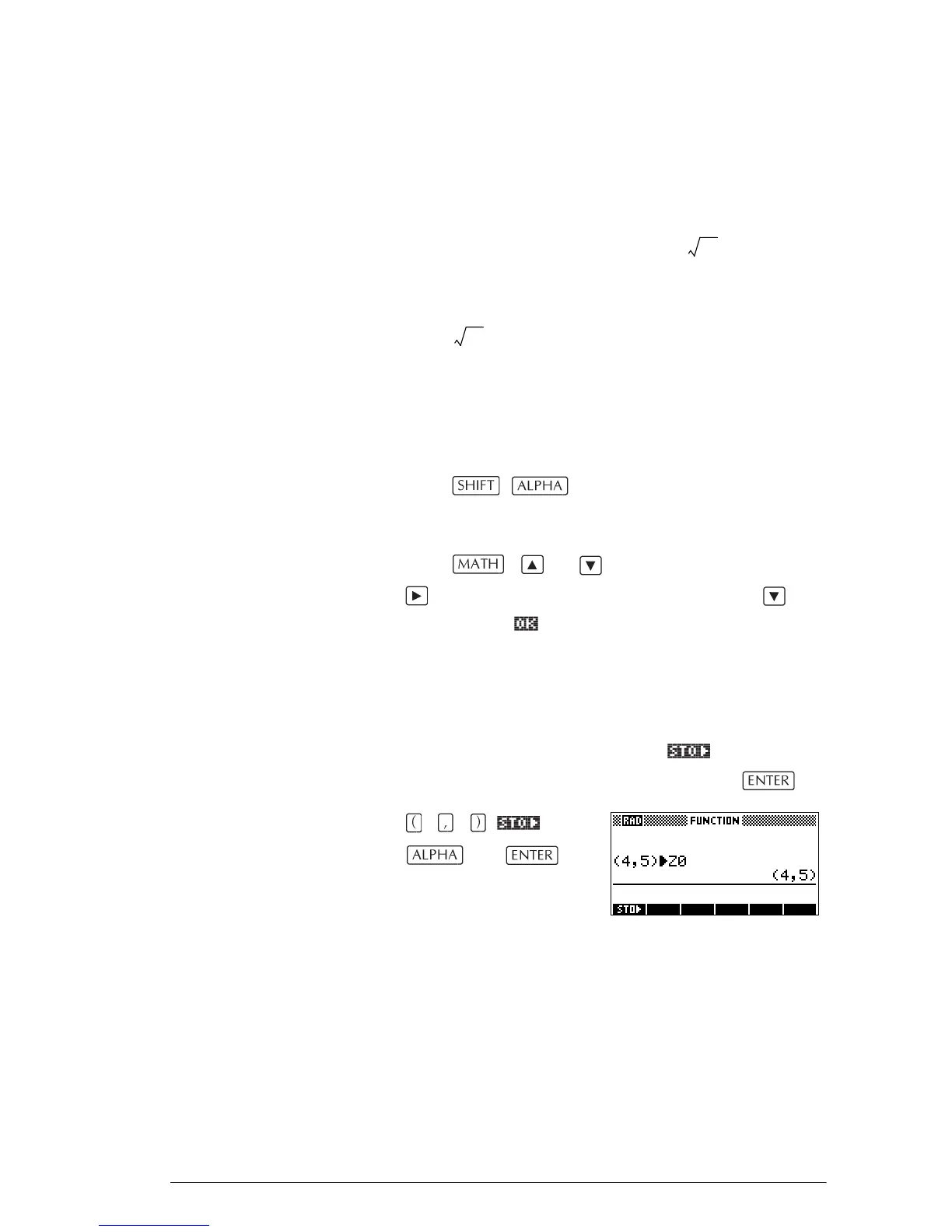
• Enter the complex number, press , enter the
variable to store the number in, and press .
45
Z 0
1–
1–



 To Next Page