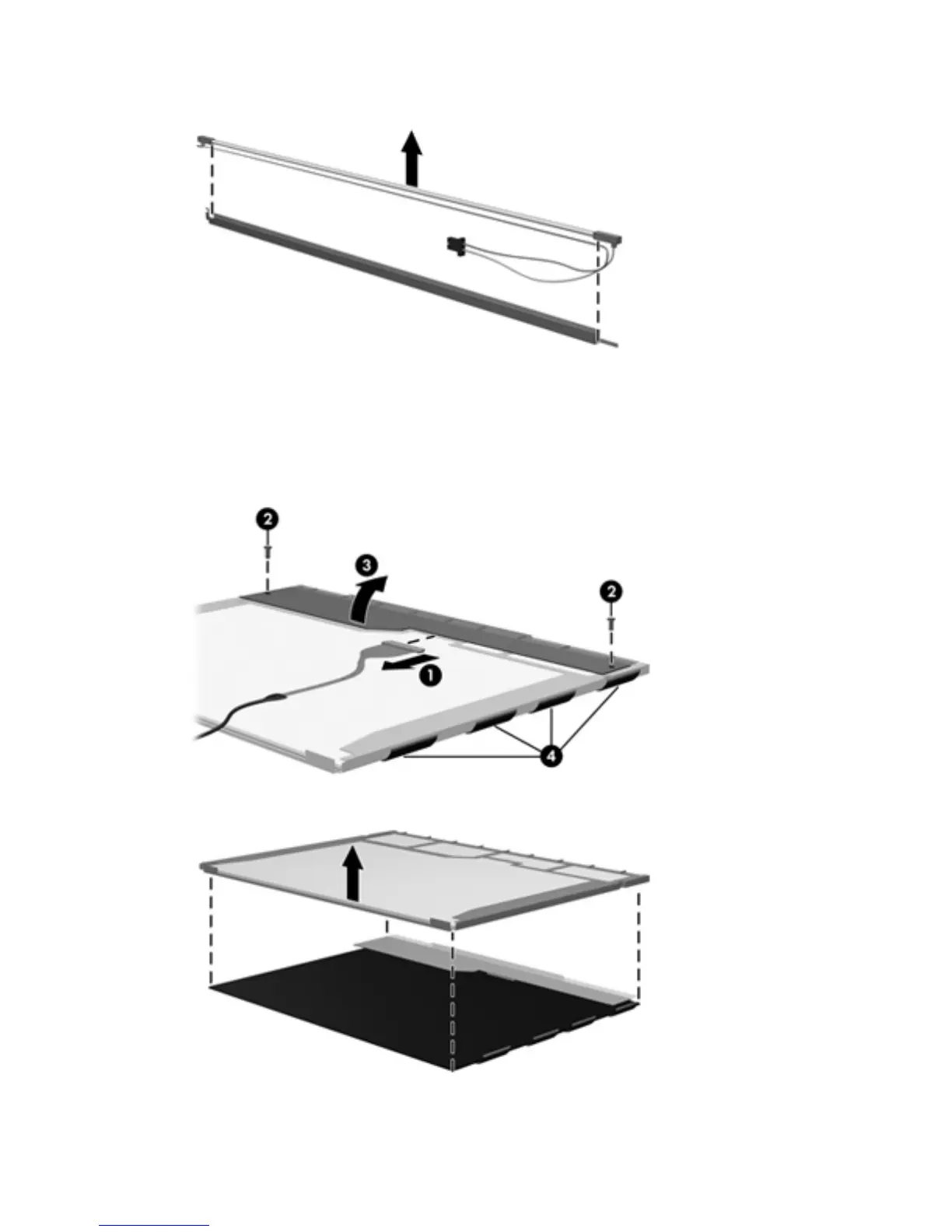
18.
Remove the backlight from the backlight frame.
19. Disconnect the display cable (1) from the LCD panel.
20.
Remove the screws (2) that secure the LCD panel to the display rear panel.
21.
Release the LCD panel (3) from the display rear panel.
22.
Release the tape (4) that secures the LCD panel to the display rear panel.
23.
Remove the LCD panel.
24. Recycle the LCD panel and backlight.
114 Chapter 9 Recycling






 To Next Page