4.
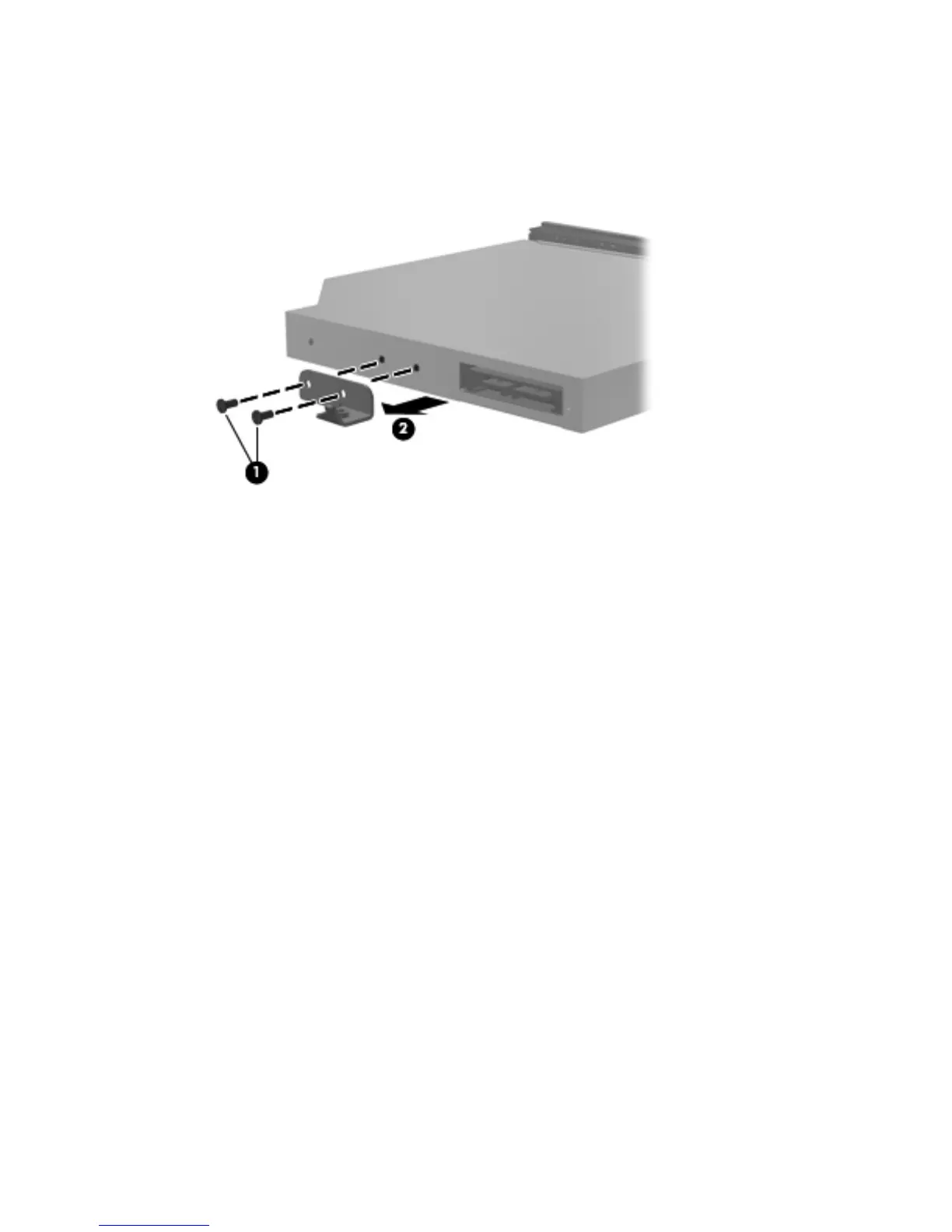
If it is necessary to replace the optical drive bracket, position the optical drive with the rear panel
toward you.
5. Remove the two Phillips PM2.0×3.0 screws (1) that secure the bracket to the optical drive.
6. Remove the optical drive bracket (2).
Reverse this procedure to reassemble and install the optical drive.
52 Chapter 4 Removal and replacement procedures






 To Next Page