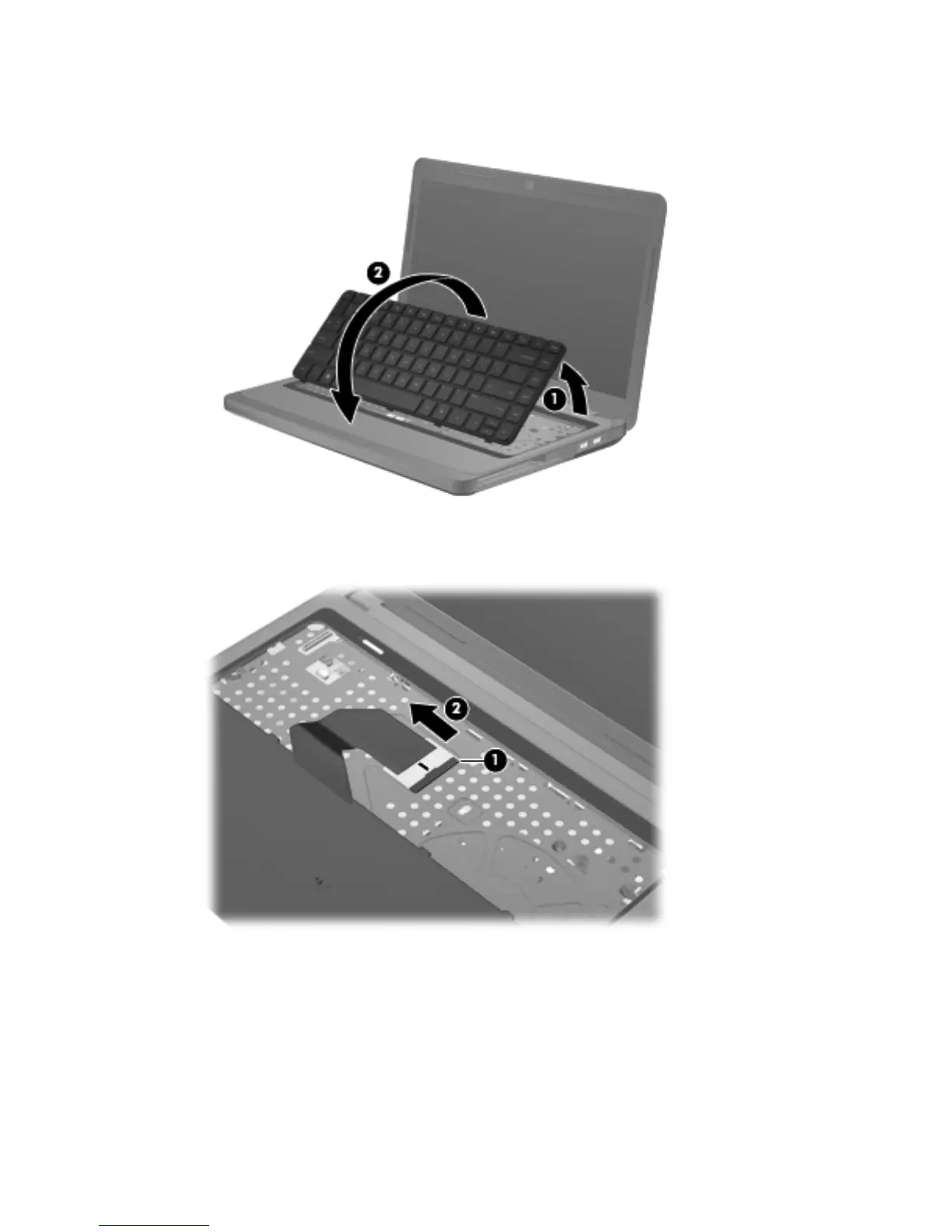
6.
Lift the rear edge of the keyboard (1), and then swing the keyboard up and forward (2) until it
rests upside down on the palm rest.
7. Release the zero insertion force (ZIF) connector (1) to which the keyboard cable is attached, and
then disconnect the keyboard cable (2) from the system board.
8. Remove the keyboard.
Reverse this procedure to install the keyboard.
Component replacement procedures
55









 To Next Page