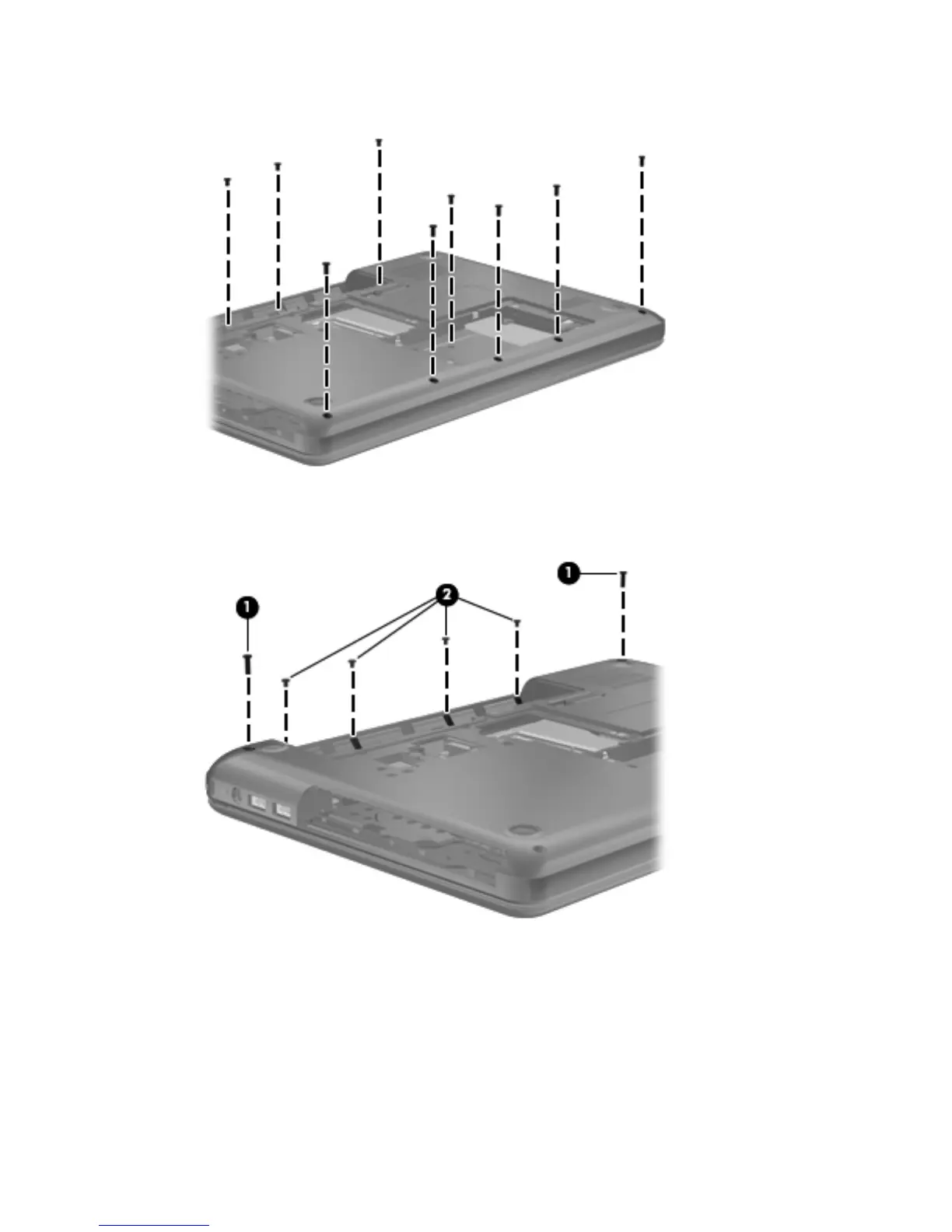
3.
Remove the nine Phillips PM2.5×6.0 screws that secure the top cover to the computer.
4. Remove the two Phillips PM2.5×10.0 screws (1) and the four Phillips PM2.0×3.0 screws (2) that
secure the top cover to the computer.
5.
Turn the computer right-side up, with the front toward you.
6. Open the computer.
Component replacement procedures
57






 To Next Page