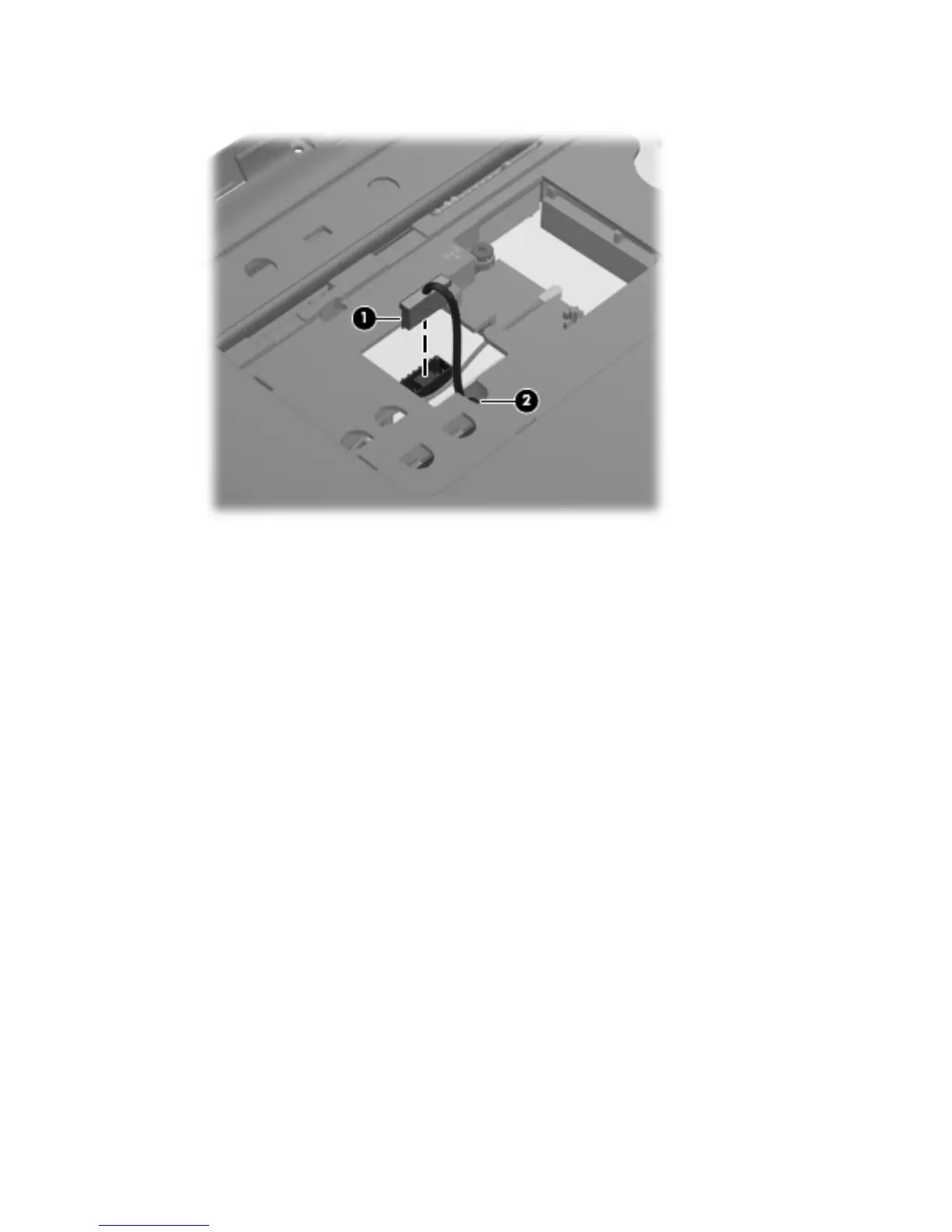
4.
Release the power connector cable from the clip (2) built into the base enclosure.
5. Turn the computer right-side up, with the front toward you.
6. Open the computer.
7. Release the power connector cable (1) from the clips and routing channel built into
the base enclosure.
8. Remove the two Phillips PM2.5×5.0 screws (2) that secure the power connector and bracket to
the computer.
9.
Remove the power connector bracket (3).
Component replacement procedures
67







 To Next Page