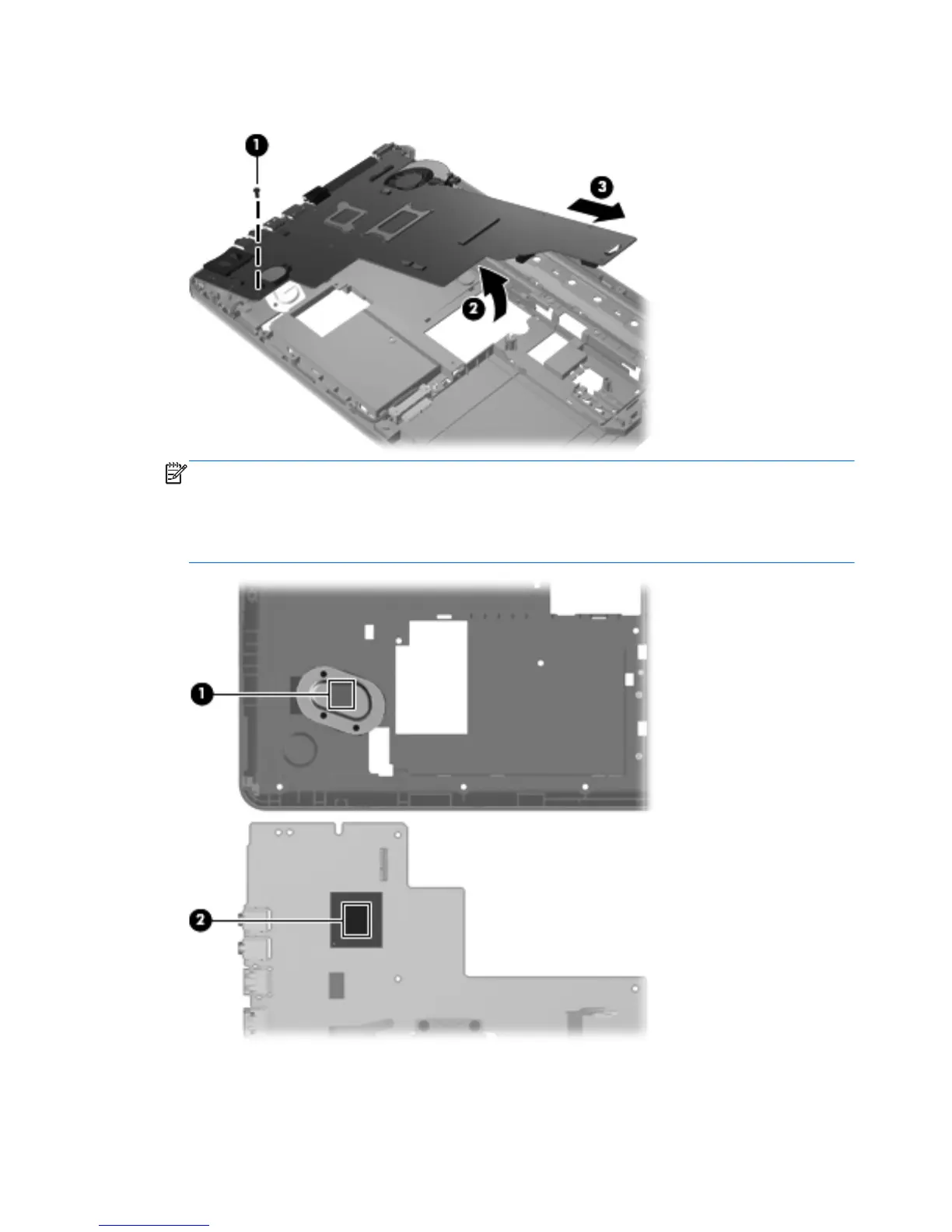
4.
Remove the system board (3) by sliding it up and to the right at an angle.
NOTE: A heat sink is attached to the base enclosure to service a component on the bottom of
the system board. The thermal material must be thoroughly cleaned from the surfaces of the system
board (1) and the heat sink (2) attached to the base enclosure each time the system board is
removed. Replacement thermal material is included with all base enclosure and system board
spare part kits.
Reverse this procedure to install the system board.
78 Chapter 4 Removal and replacement procedures











 To Next Page