3/27/97 11:20 am Final version given to printer
...............................................................................................................
7-15
HP Company Confidential
7. Getting Help
Reload document, then
re-start job.
While copying, sending a
fax, or scanning, the HP
OfficeJet wasn’t able to
load a sheet you placed in
the document tray.
Remove the document from the
document tray, reload it, and re-
start the job you were doing.
Note: You don’t need to reload
pages that were already faxed.
Reload paper, then press
START.
One of the following
problems has occurred:
• There’s no paper in the
paper supply tray, or
• Paper was loaded incor-
rectly in the paper supply
tray, or
• The HP OfficeJet
wasn’t able to load a
sheet from the paper
supply tray.
If there’s no paper in the paper
tray when the error occurred:
Pull the document tray forward,
load paper in the paper supply
tray*, push the document tray
back into place, and press the
Start
button.
If there’s paper in the paper tray
when the error occurred:
Remove the paper and stack it on
a flat surface. Pull the document
tray forward, load the paper in
the paper supply tray*, push the
document tray back into place,
and press the
Start
button.
*For step-by-step, illustrated paper-
loading instructions, refer to “5.
Load the paper supply” in Chapter 1.
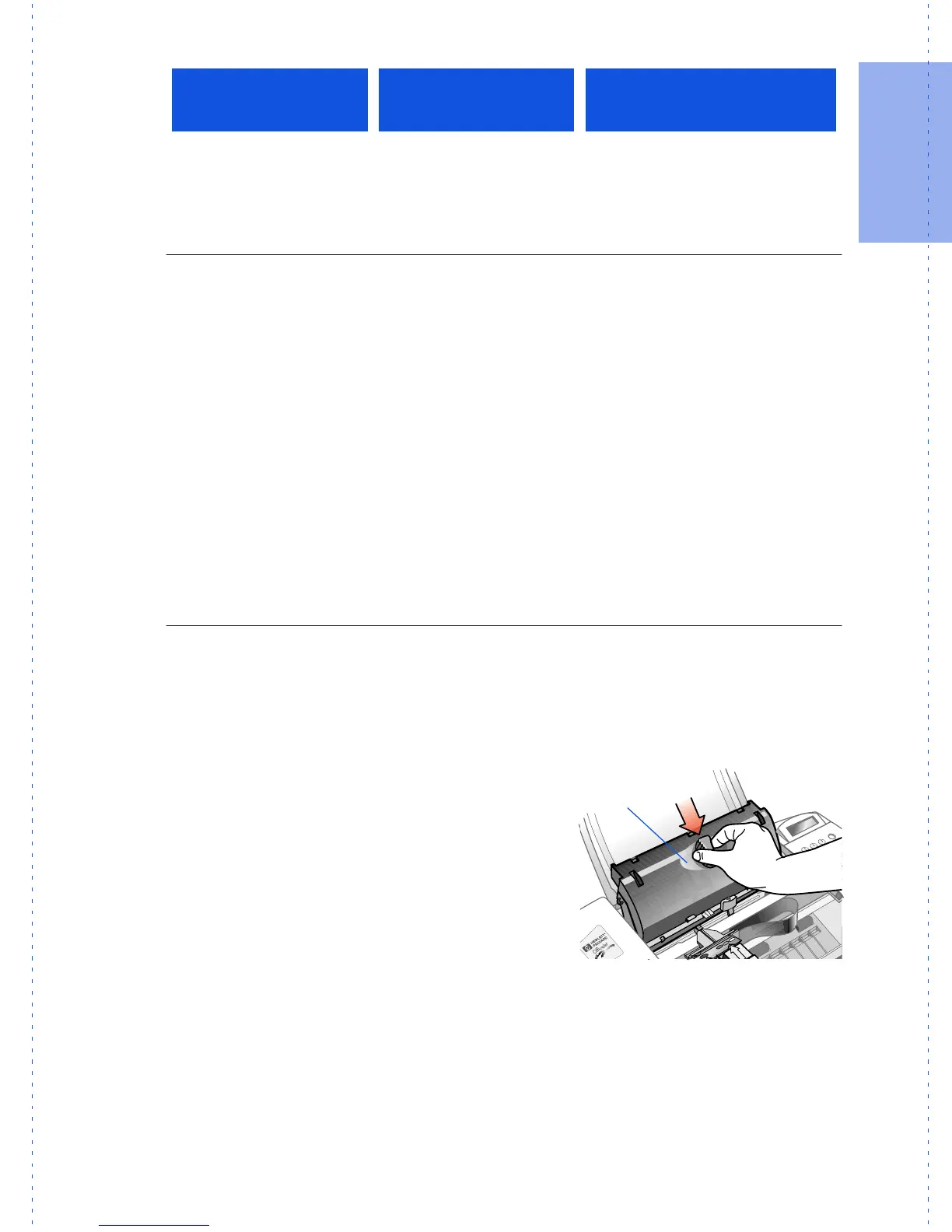
Replace scanner cover One of these problems
happened with the scan-
ner cover:
• You removed the scan-
ner cover from inside the
HP OfficeJet and didn’t
replace it, or
• You replaced the scan-
ner cover incorrectly.
Open the HP OfficeJet’s top
cover, then perform the
appropriate action:
If the scanner cover is missing:
Replace the scanner cover* and
close the top cover.
If the scanner cover is in place:
Remove the scanner cover*,
replace it, then close the cover.
This keypad
message:
Has this meaning:
And this action is
recommended:
Scanner
cover



 To Next Page