3/27/97 11:12 am Final version given to printer
...............................................................................................................
4-2
HP Company Confidential
Loading the Paper Supply
for Copying
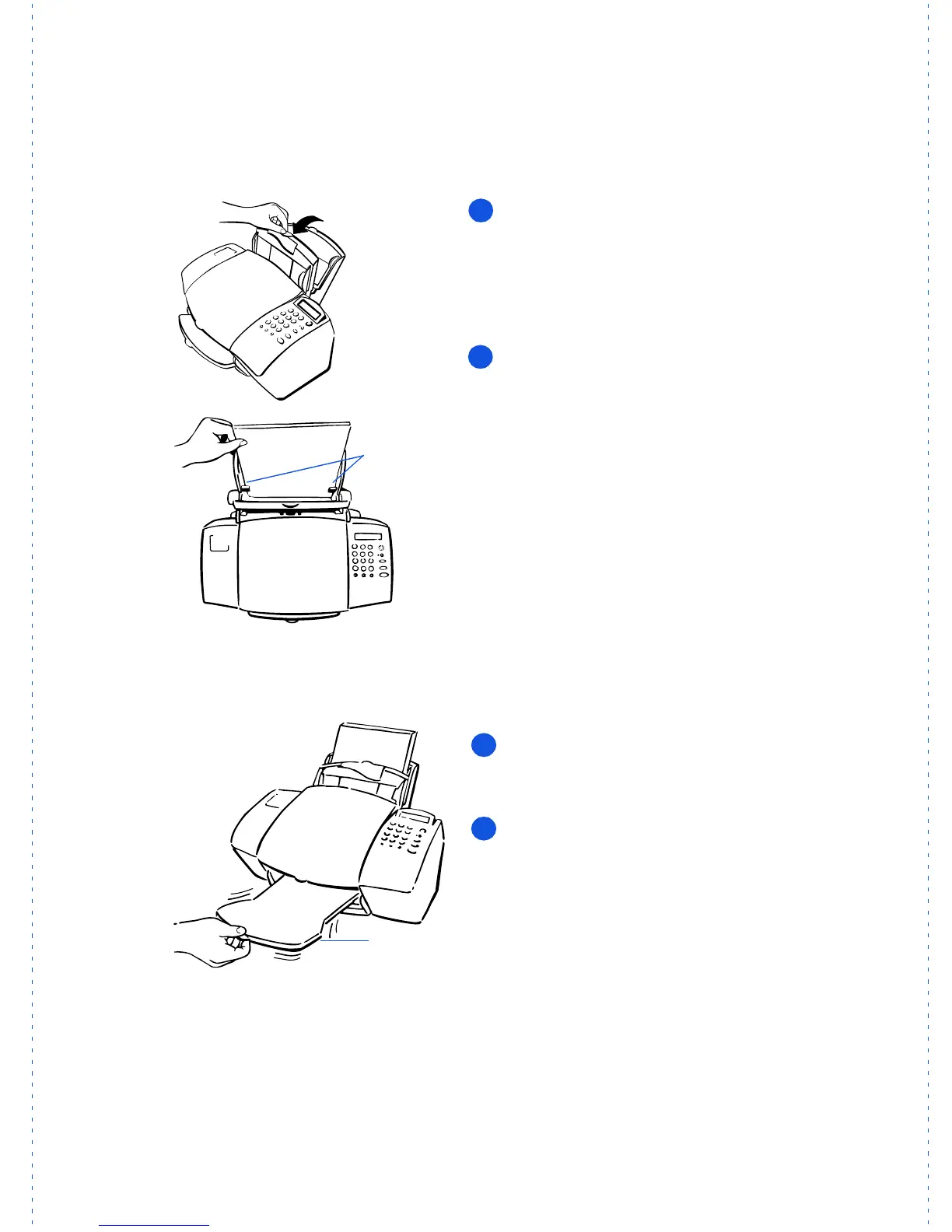
Pull the document tray forward all the
way until it snaps into the upright position.
Load up to 150 sheets of 20-lb paper
(about a 1/2-inch-thick stack) into the paper
tray. The paper should fit behind the stack
guides on the lower part of the tray as
shown.
Notes:
1) Use only plain paper for copying.
2) Use only letter- or legal-size paper for
copying.
3) If you change the paper size in the tray, be
sure to update the paper size setting in the
software. Refer to “Changing the paper size
setting” in Chapter 3 under “Advanced fax
receive settings” for instructions.
Push the document tray back to its nor-
mal position, resting in front of the paper
tray.
Extend the output tray slowly until it
stops.
Stack
guides
Output
tray
1
2
3
4



 To Next Page