EasyManua.ls Logo

HP 5326A - Page 10

HP 5326A
30 pages
Print Icon
To Next Page IconTo Next Page
To Previous Page IconTo Previous Page
Loading...
Model
5326/27A
Installation
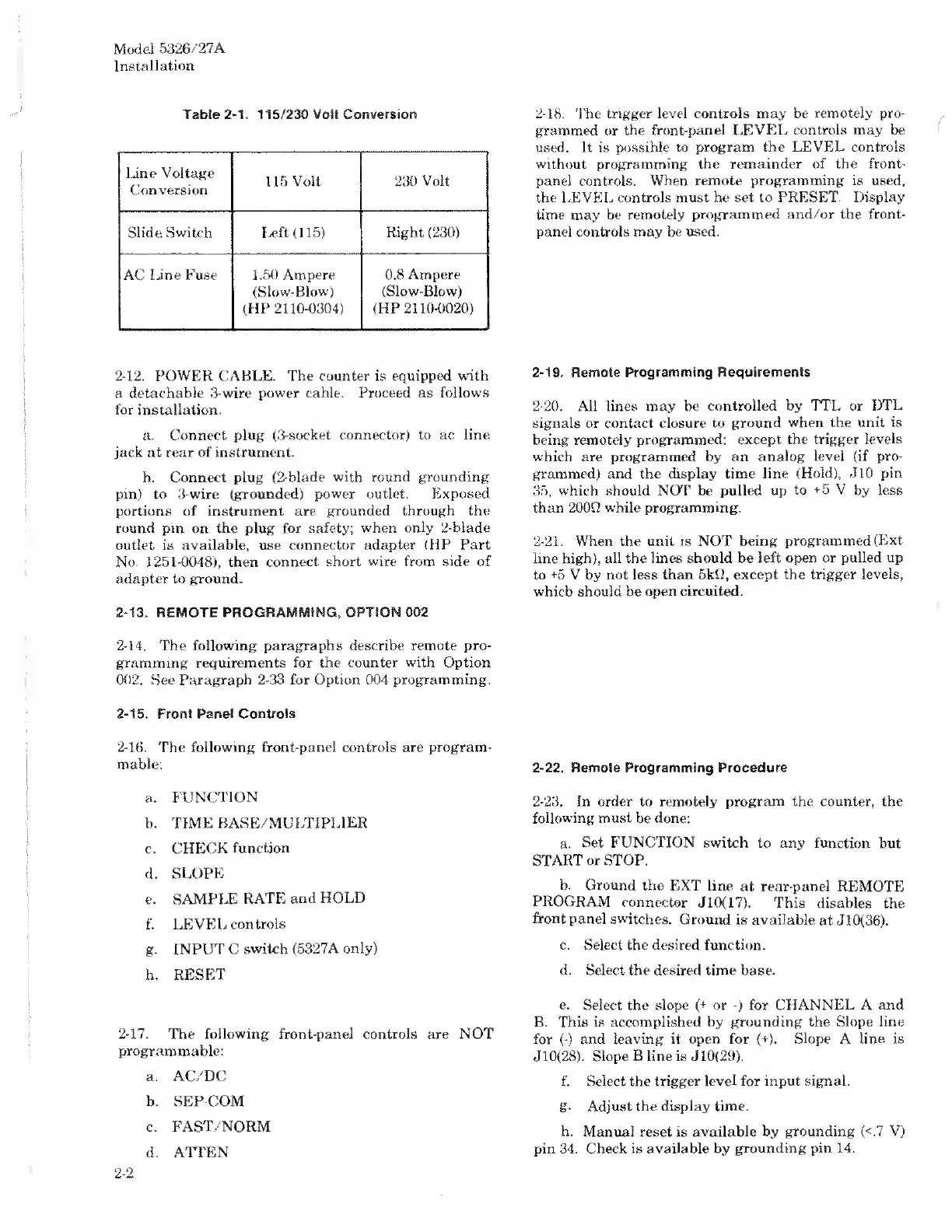
Table
2-1.
115/230
Volt
Conversion
Line
Voltage
Conversion
115
Volt
230
Volt
Slide
Switch
Left
(1.15)
Right
(230)
AC
line
Fuse
1.50
Ampere
(Slow-Blow)
(HP
2110-0304)
0.8
Ampere
(Slow-Blow)
(HP
2110-0020)
2-12.
POWER
CABLE.
The
counter
is
equipped
with
a
detachable
3-wire
power
cable.
Proceed
as
follows
for
installation.
a.
Connect
plug
(3-socket
connector)
to
ac
line
jack
at
rear
of
instrument.
b.
Connect
plug
(2-blade
with
round
grounding
pin)
to
3-wire
(grounded)
power
outlet.
Exposed
portions
of
instrument
are
grounded
through
the
round
pin
on
the
plug
for
safety;
when
only
2-blade
outlet
is
available,
use
connector
adapter
(HP
Part
No.
1251-0048),
then
connect
short
wire
from
side
of
adapter
to
ground.
2-13.
REMOTE
PROGRAMMING,
OPTION
002
2-14.
The
following
paragraphs
describe
remote
pro¬
gramming
requirements
for
the
counter
with
Option
002.
See
Paragraph
2-33
for
Option
004
programming.
2-15.
Front
Panel
Controls
2-16.
The
following
front-panel
controls
are
program¬
mable:
a.
FUNCTION
b.
TIME
BASE/MULTIPLIER
c.
CHECK
function
d.
SLOPE
e.
SAMPLE
RATE
and
HOLD
f.
LEVEL
controls
g.
INPUT
C
switch
(5327A
only)
h.
RESET
2-17.
The
following
front-panel
controls
are
NOT
programmable:
a.
AC/DC
b.
SEP-COM
c.
FAST/NORM
d.
ATTEN
2-18.
The
trigger
level
controls
may
be
remotely
pro¬
grammed
or
the
front-panel
LEVEL
controls
may
be
used.
It
is
possible
to
program
the
LEVEL
controls
without
programming
the
remainder
of
the
front-
panel
controls.
When
remote
programming
is
used,
the
LEVEL
controls
must
be
set
to
PRESET.
Display
time
may
be
remotely
programmed
and/or
the
front-
panel
controls
may
be
used.
2-19.
Remote
Programming
Requirements
2-20.
All
lines
may
be
controlled
by
TTL
or
DTL
signals
or
contact
closure
to
ground
when
the
unit
is
being
remotely
programmed:
except
the
trigger
levels
which
are
programmed
by
an
analog
level
(if
pro¬
grammed)
and
the
display
time
line
(Hold),
J10
pin
35,
which
should
NOT
be
pulled
up
to
+5
V
by
less
than
200Q
while
programming.
2-21.
When
the
unit
is
NOT
being
programmed
(Ext
line
high),
all
the
lines
should
be
left
open
or
pulled
up
to
+5
V
by
not
less
than
5kO,
except
the
trigger
levels,
which
should
be
open
circuited.
2-22.
Remote
Programming
Procedure
2-23.
In
order
to
remotely
program
the
counter,
the
following
must
be
done:
a.
Set
FUNCTION
switch
to
any
function
but
START
or
STOP.
b.
Ground
the
EXT
line
at
rear-panel
REMOTE
PROGRAM
connector
J
10(17).
This
disables
the
front
panel
switches.
Ground
is
available
at
J
10(36).
c.
Select
the
desired
function.
d.
Select
the
desired
time
base.
e.
Select
the
slope
(
+
or
-)
for
CHANNEL
A
and
B.
This
is
accomplished
by
grounding
the
Slope
line
for
(-)
and
leaving
it
open
for
(+).
Slope
A
line
is
J10(28).
Slope
B
line
is
J
10(29).
f.
Select
the
trigger
level
for
input
signal.
g.
Adjust
the
display
time.
h.
Manual
reset
is
available
by
grounding
(<.7
V)
pin
34.
Check
is
available
by
grounding
pin
14.
2-2

Related product manuals