EasyManua.ls Logo

HP 5355A - Page 28

HP 5355A
50 pages
Print Icon
To Next Page IconTo Next Page
To Previous Page IconTo Previous Page
Loading...
Model
5355A
Operation
and
Programming
3-15.
Marsyal
Mode
3-16.
The
manual
mode
of
operation
is
initiated
by
pressing
the
|
key.
To
operate
in
this
mode,
the
input
signal
frequency
must
be
known
within
50
MHz
and
this
manual
frequency
must
be
entered
into
the
display
prior
to
the
measurement.
Use
of
the
manual
mode
is
described
in
the
following
paragraph
and
an
example
is
shown
in
Table
3-3.
3-17.
Pressing
the
[
I
key
results
in
a
display
of
the
low
frequency
listed
below
(or
a
previously
entered
manual
frequency).
The
[
0
j
^
key
indicator
lights
and
the
gold-labeled
key
functions
are
in
effect.
Press
and
hold
thef
|
-
ANUAk
key
to
cause
the
display
to
count
up
to
the
high
frequency
listed
below
in
.1
GHz
(100
MHz)
steps.
Press
and
hold
the
I
W0N
key
to
cause
the
display
to
count
down
to
the
low
frequency
in
.1
GHz
steps.
These
keys
are
used
to
set
the
display
to
a
frequency
within
.1
GHz
of
the
input
signal.
Press
and
release
the
{TJ
key
to
depart
the
DATA
ENTRY
function
and
press
j*«"J
^
Ak
to
enter
the
MEASURE¬
MENT
function.
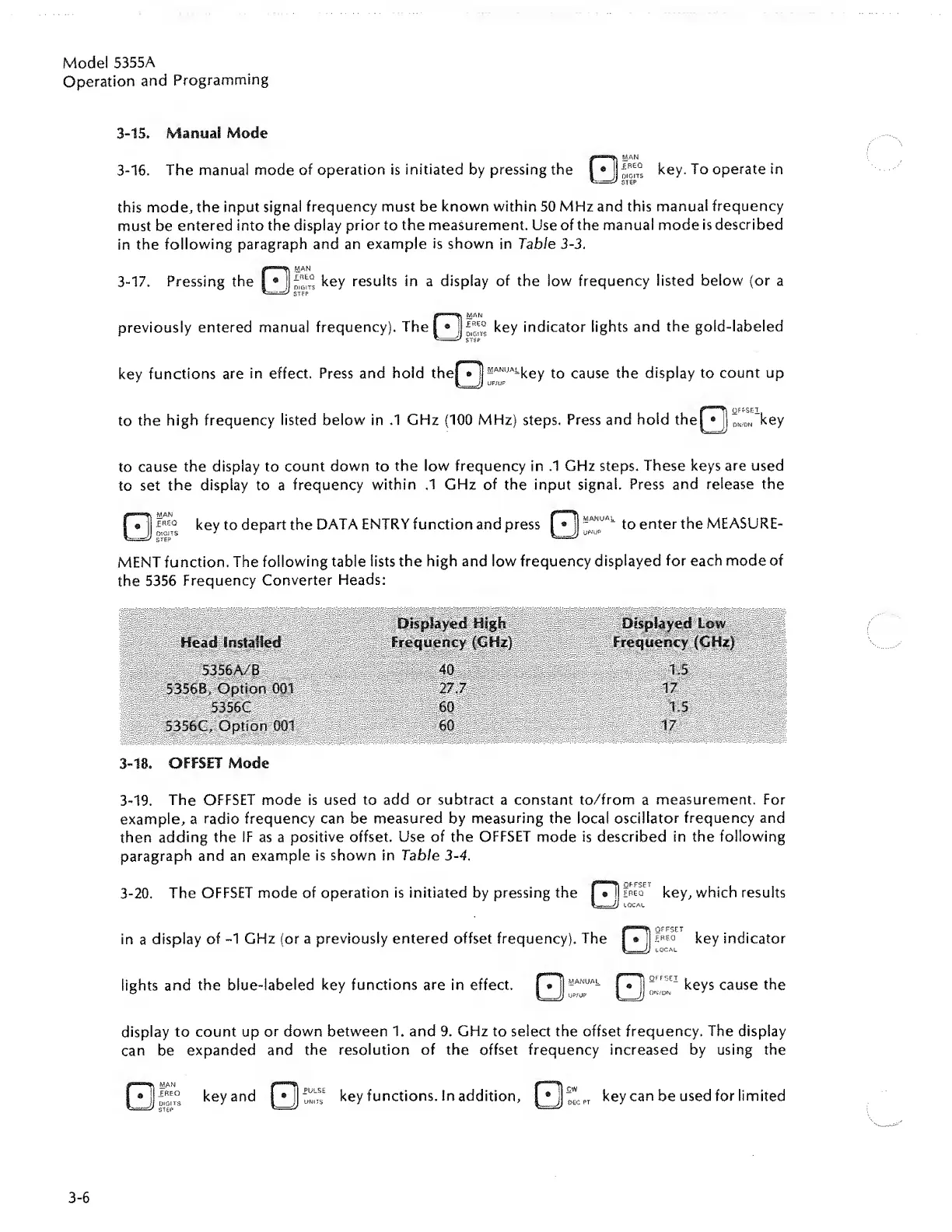
The
following
table
lists
the
high
and
low
frequency
displayed
for
each
mode
of
the
5356
Frequency
Converter
Heads:
5356A/B
5356B,
Option
5356C
5356C,
Option
001
3-18.
OFFSET
Mode
3-19.
The
OFFSET
mode
is
used
to
add
or
subtract
a
constant
to/from
a
measurement.
For
example,
a
radio
frequency
can
be
measured
by
measuring
the
local
oscillator
frequency
and
then
adding
the
IF
as
a
positive
offset.
Use
of
the
OFFSET
mode
is
described
in
the
following
paragraph
and
an
example
is
shown
in
Table
3-4.
3-20.
The
OFFSET
mode
of
operation
is
initiated
by
pressing
the
in
a
display
of
-1
GHz
(or
a
previously
entered
offset
frequency).
The
key,
which
results
key
indicator
lights
and
the
blue-labeled
key
functions
are
in
effect.
[
®
|
-
ANUAk
I
®
JJ
keys
cause
the
display
to
count
up
or
down
between
1.
and
9.
GHz
to
select
the
offset
frequency.
The
display
can
be
expanded
and
the
resolution
of
the
offset
frequency
increased
by
using
the
®
j
keyand
|®l:^
key
functions.
In
addition,
l*j'
e
cPT
key
can
be
used
for
limited
3-6

Related product manuals