10 HP Fax basics
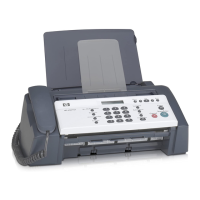
The HP 600 Fax
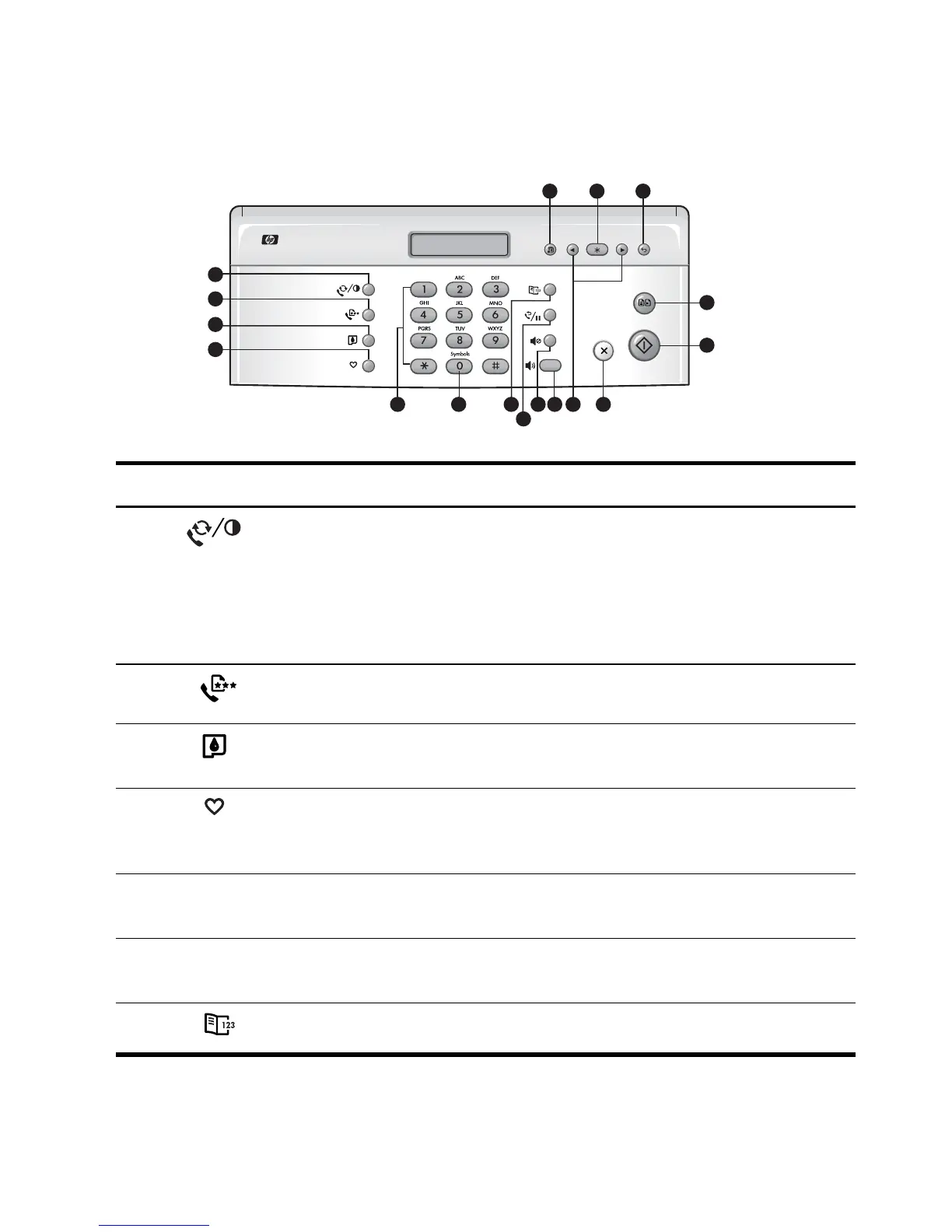
Control Panel of HP Fax
Figure 2-4 Control panel of HP Fax
4
3
2
1
8
7
6
5
15
17
10
9
13
12
11
16
14
Label Icon Name and Description
1 Mode/Contrast:
• When no document is loaded, pressing this button changes the Receive
Mode.
See Answer/receive mode on page 32.
• When a document is loaded, pressing this button changes the contrast for
faxing and copying.
2 Resolution: Improves the clarity of a document that you are faxing or copying.
3 Access Cartridge: Moves the print cartridge to the center so it can easily be
replaced.
4 Favorites: Enables you to store documents that are frequently faxed and send
them to selected fax numbers without the originals. Press Favorites repeatedly to
save, delete, send or print the documents.
5 Number keypad: Dials telephone and fax numbers and enters letters and symbols
in text fields. The phone key pad is also used for one-touch dialing.
6 Symbols: [The 0 key]. Used to enter special characters when entering a name in a
text field.
7 Speed Dial: Stores and dials 100 telephone/fax numbers.



 To Next Page