54 Care and maintenance
Clean the document scanner area
Clean the document scanner area
To keep your machine working properly, occasionally clean the white roller,
document feeder rubber piece, and the scanning glass. If they are dirty,
documents sent to another fax machine will not be clear.
CAUTION: When you turn the power off to clean the scanner, documents
stored in memory will be lost.
1. Open the control panel.
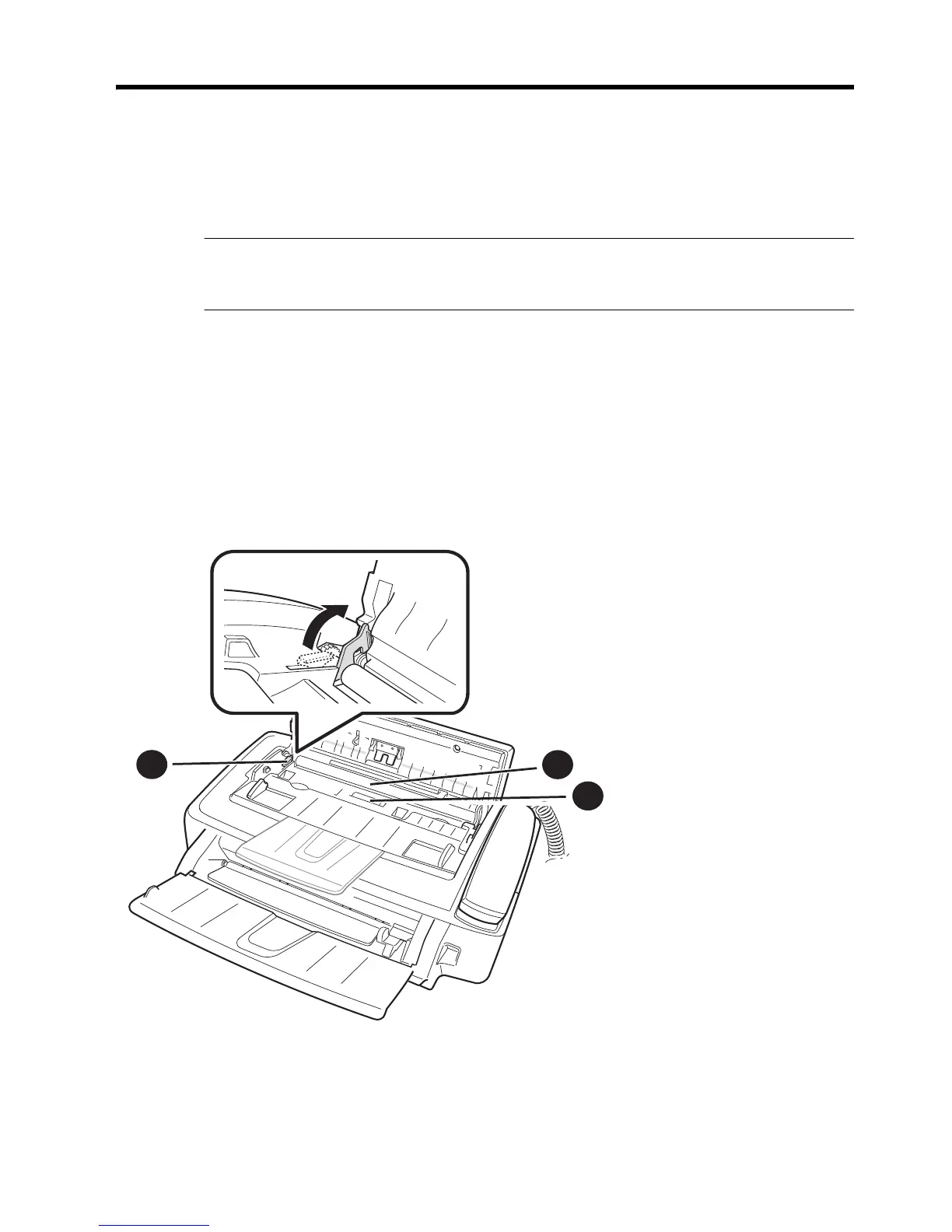
2. Remove the white roller.
a. At the right-hand end of the white roller there is a bushing that is secured
with a small tab.
b. Push the tab slightly inward, then rotate towards you. Then pull up the
right-hand end of the roller to remove it.
3. Wipe the white roller surface and the driver roller surface with a soft cloth
dampened with water.
1 White roller
2 Drive roller
3 White roller latch
1
2
3



 To Next Page