Care and maintenance 55
Clean the document scanner area
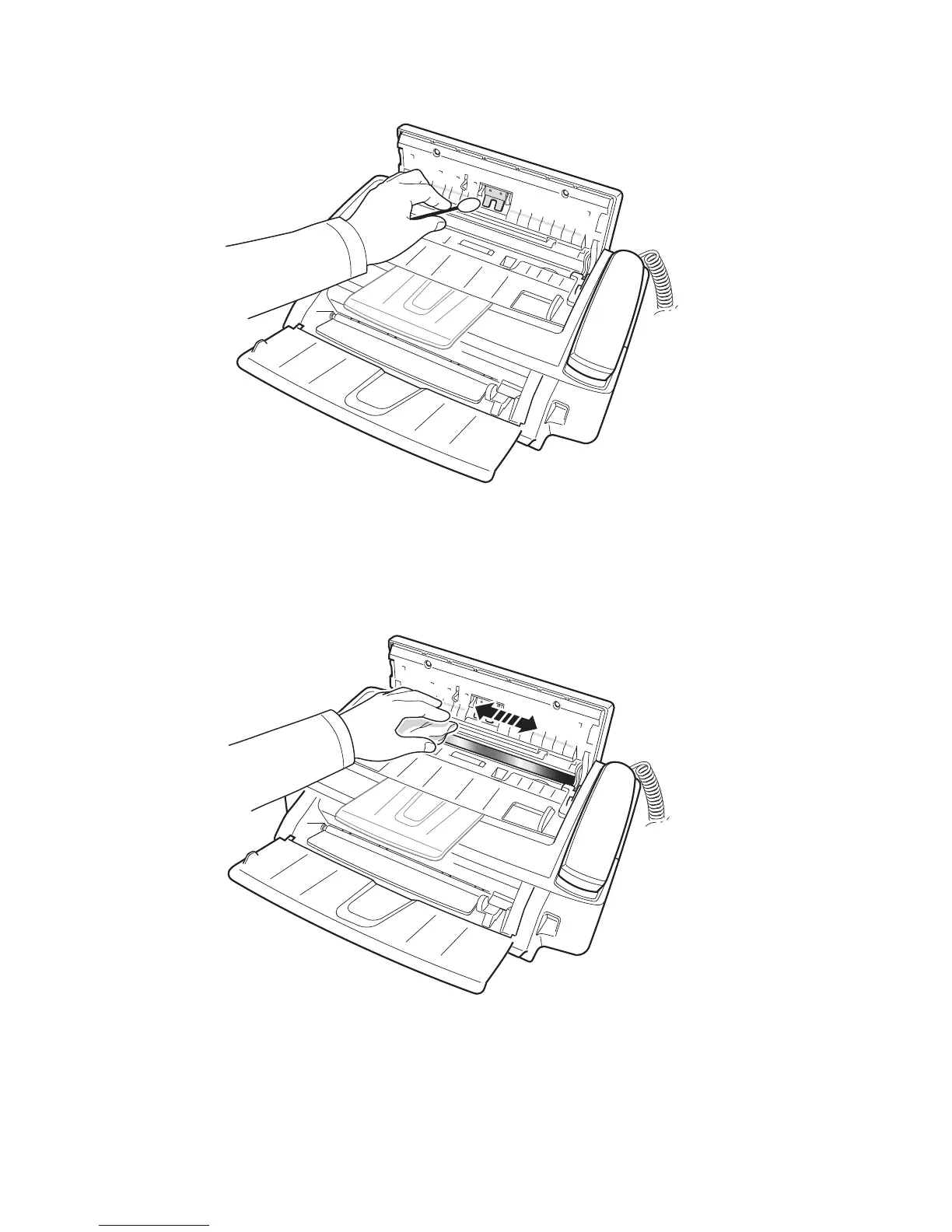
4. Clean the document feeder rubber piece at the back of the control panel.
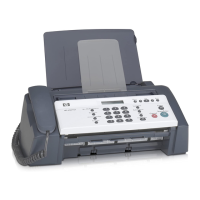
5. Carefully wipe the scanning glass with a soft, dry, lint free cloth.
• If the glass is very dirty, first wipe it with a slightly dampened cloth, then
with a dry one.
• Be careful not to scratch the glass surface.
6. Replace the roller in reverse order, and then close the control panel firmly
until it clicks into place.



 To Next Page