Before removing the bottom cover, prepare the computer for disassembly (see Preparation for disassembly on
page 34).
Remove the bottom cover:
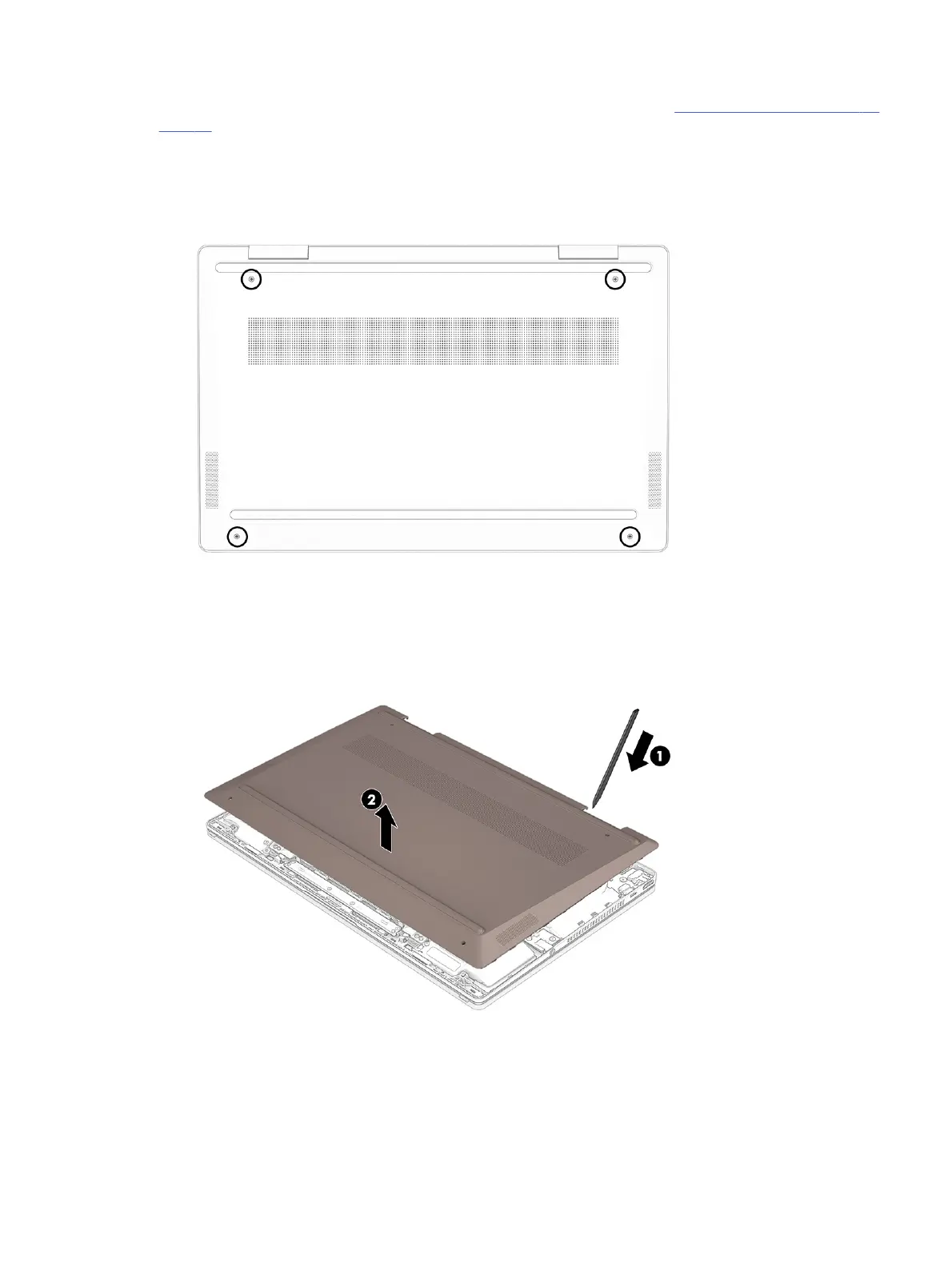
1. Remove the ve Phillips 2.5 × 5.0 screws that secure the bottom cover to the computer.
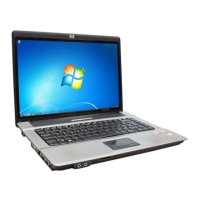
2. Starting near the hinges, use a nonmarking, nonconductive tool to release the edges of the bottom cover
from the computer (1).
3. Remove the bottom cover from the computer (2).
To replace the bottom cover, reverse the removal procedures.
Battery
To remove the battery, use this procedure and illustration.
Battery
35



 To Next Page