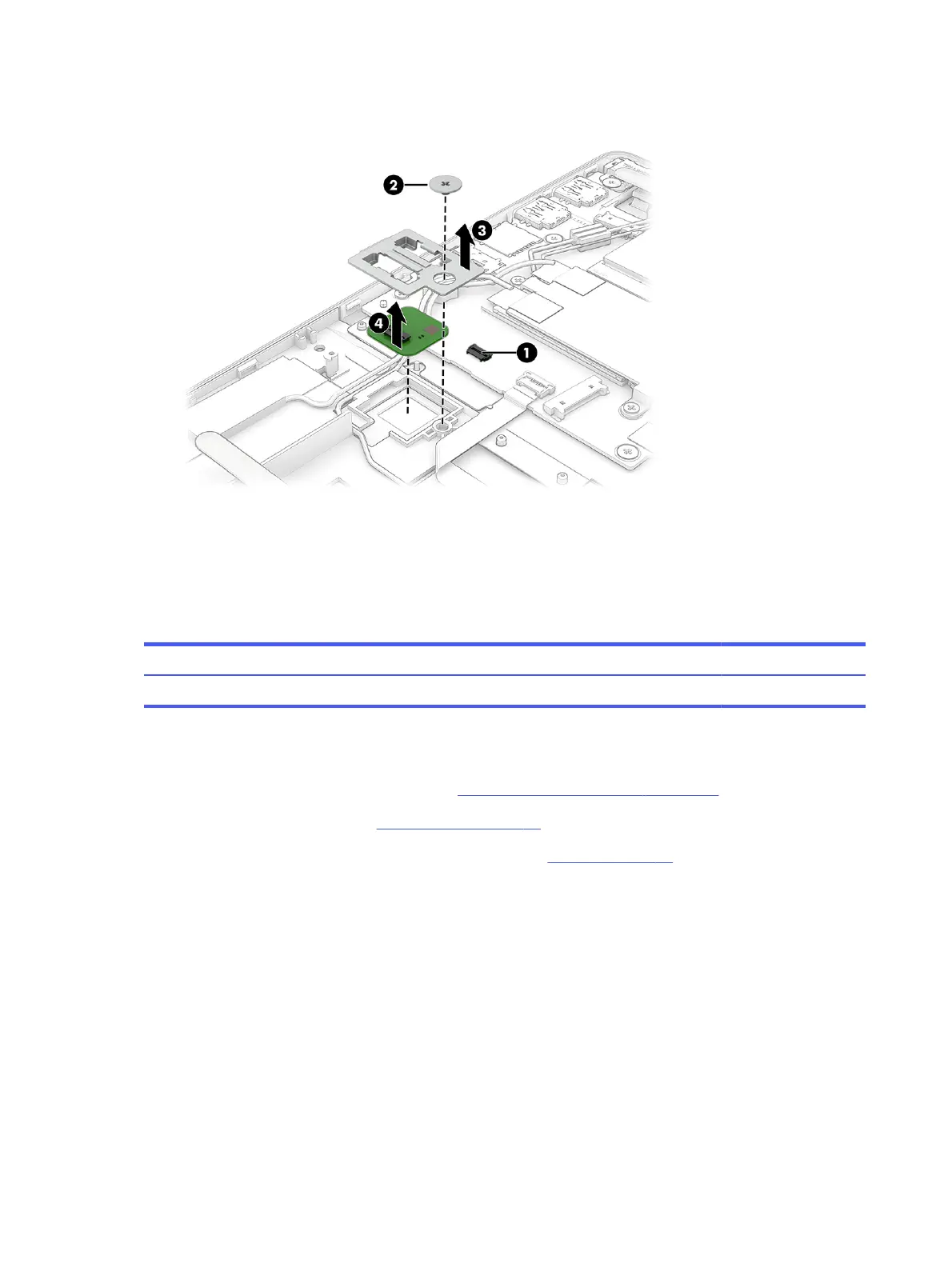
3. Remove the ngerprint reader from the computer (4).
Reverse this procedure to install thengerprint reader.
Power connector cable
To remove the power connector cable, use this procedure and illustration.
Table 5-11
Power connector cable description and part number
Description Spare part number
Power connector cable M45022-001
Before removing the power connector cable, follow these steps:
1. Prepare the computer for disassembly (see Preparation for disassembly on page 34).
2. Remove the bottom cover (see Bottom cover on page 34).
3. Disconnect the battery cable from the system board (see Battery on page 35).
Remove the power connector cable:
1. Remove the Phillips M2.0 × 3.0 screw (1), and then remove the power connector bracket from the
computer (2).
2. Disconnect the power connector cable from the system board (3).
50
Chapter 5Removal and replacement procedures for authorized service provider parts



 To Next Page