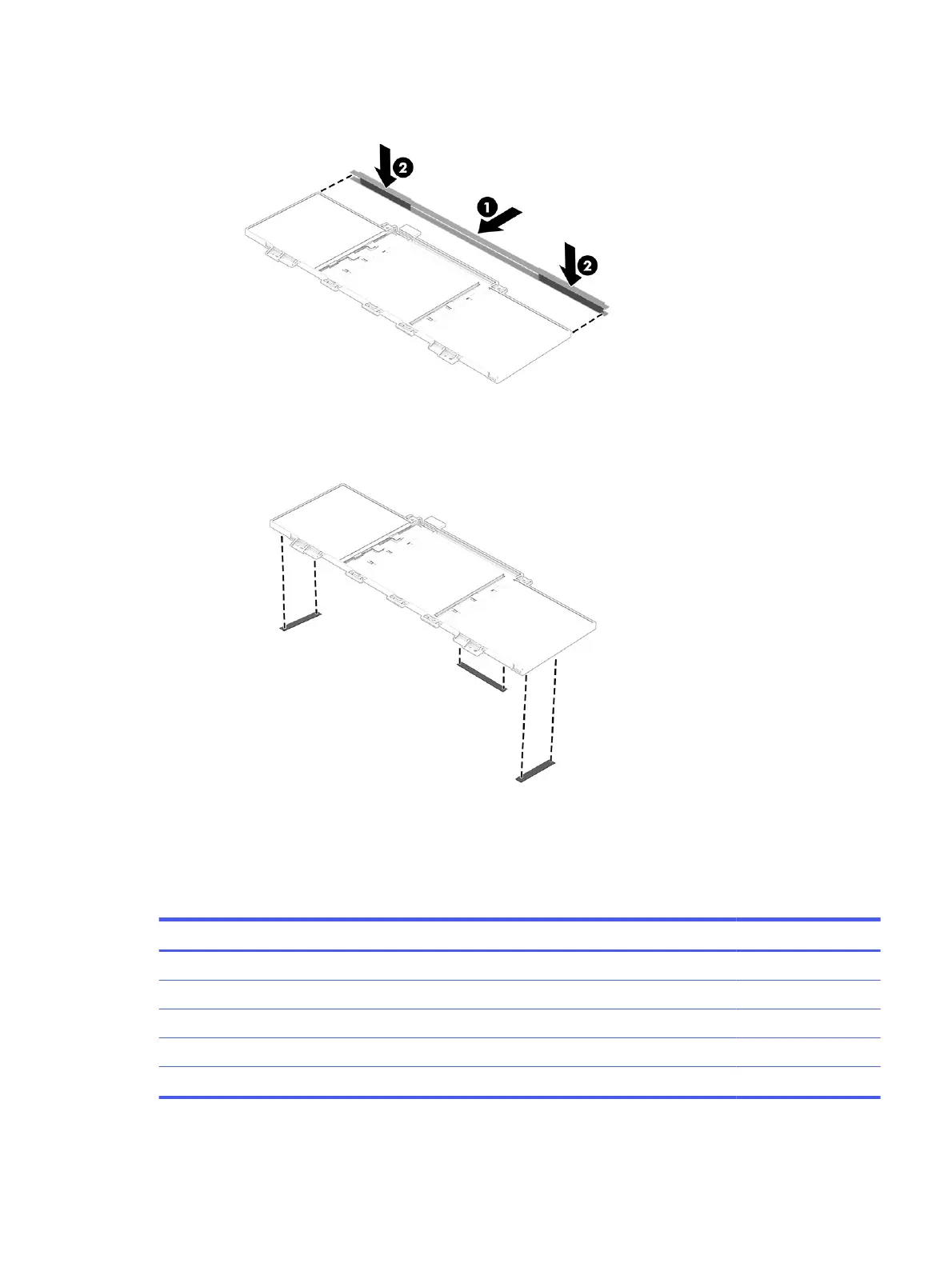
2. Install foil on top of the battery (1), and then press down to atten (2).
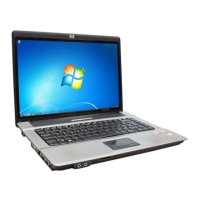
3. Install three pieces of foil onto the battery. Be sure to smooth the foil so it is at with no wrinkles at the
junctions.
Solid-state drive
To remove the M.2 solid-state drive, use this procedure and illustration.
Table 5-3
Solid-state drive descriptions and part numbers
Description Spare part number
1 TB L85370-005
512 GB L85364-005
512 GB, PCIe4 × 4, TLC M17436-005
256 GB, PCIe L85354-005
Thermal pad and foil N16727-001
Solid-state drive 39



 To Next Page