Before removing the solid-state drive, follow these steps:
1. Prepare the computer for disassembly (see Preparation for disassembly on page 34).
2. Remove the bottom cover (see Bottom cover on page 34).
3. Disconnect the battery cable from the system board (see Battery on page 35).
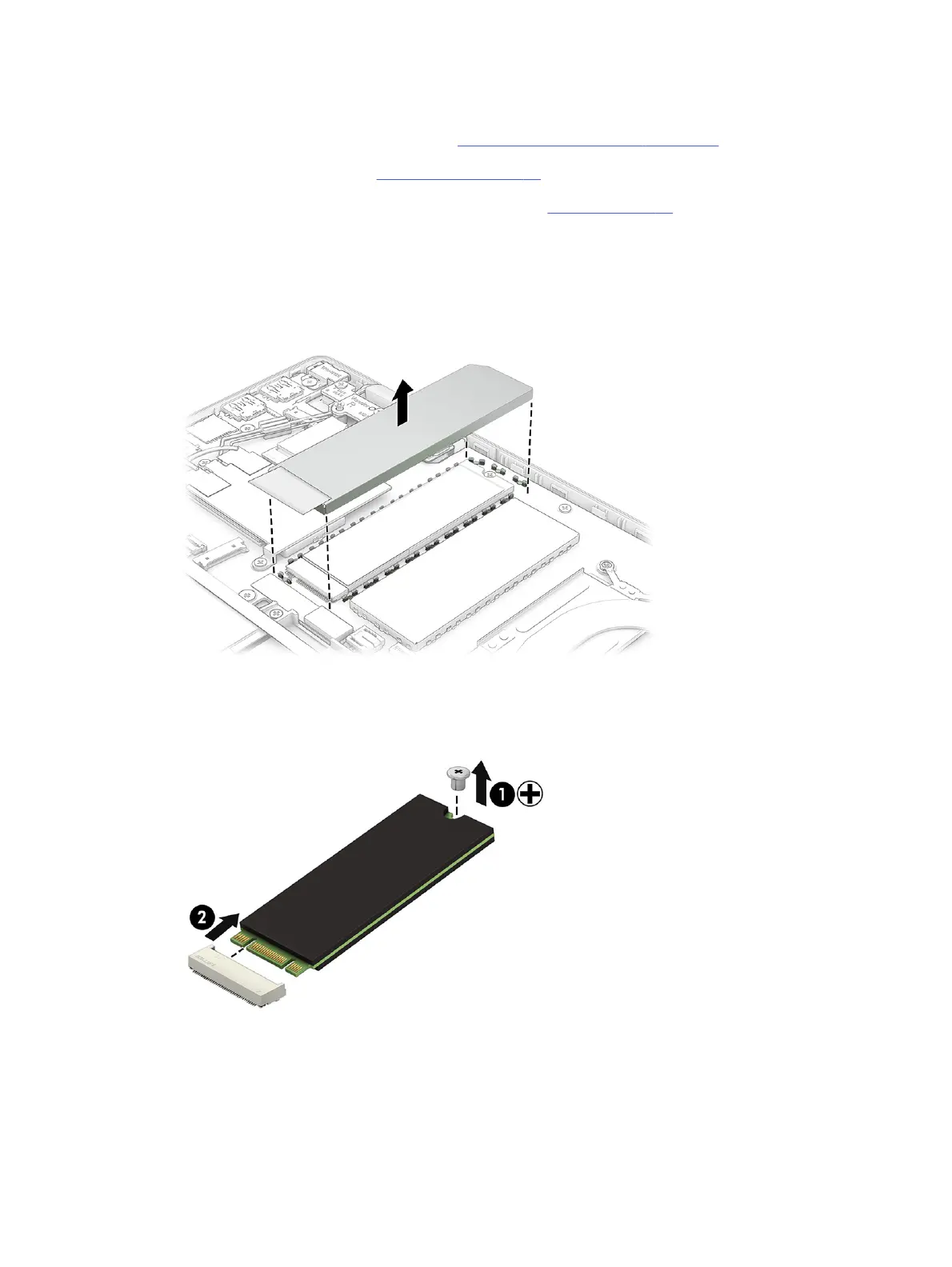
Remove the solid-state drive:
1. Use a tool to remove the cover from the solid-state drive.
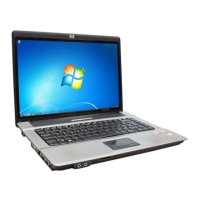
2. Remove the Phillips M2.0 × 2.5 screw (1) that secures the drive to the computer.
3. Pull the drive away from the socket to remove it (2).
To install the solid-state drive, reverse the removal procedures.
When installing a solid-state drive, be sure to install the thermal pad under the cover.
40
Chapter 5Removal and replacement procedures for authorized service provider parts



 To Next Page