Need help?
Do you have a question about the HP 93 Series and is the answer not in the manual?
Disconnect any previously connected mouse receiver from your computer before proceeding with pairing.
Open mouse cover, insert receiver, and replace cover. Cursor may not be visible after this.
Remove keyboard receiver if paired. Locate it, but do not connect if keyboard is unpaired.
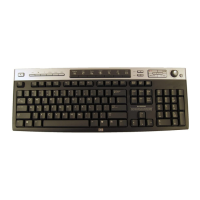
Connect the HP 975 Dual-Mode wireless keyboard via USB cable and charge for 3 hours if needed.
Move the keyboard power switch to the 'on' position.
Press and hold the mouse pairing button for 3-10 seconds until the receiver light blinks.
Connect the HP 975 Dual-Mode wireless keyboard receiver to your device; it shows keyboard/mouse icons.
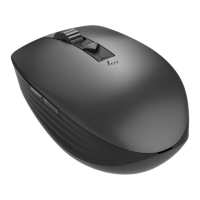
This document outlines the procedure for connecting the HP 975 Dual-Mode Wireless Keyboard and supported mice to a computer using a single receiver. The primary function of this setup is to allow users to operate both a keyboard and a compatible mouse through one USB receiver, thereby conserving USB ports and simplifying connectivity. This system is designed to work with specific HP mice, including the HP 93x Creator Wireless Mouse and the HP 635 Multi-Device Wireless Mouse, as well as other supported models. The key advantage is the consolidation of wireless peripherals onto a single, dedicated receiver, which is specifically the keyboard's receiver.
The core function of this system is to provide a unified wireless connection for both an HP 975 Dual-Mode Wireless Keyboard and a compatible HP wireless mouse to a computer. Instead of requiring separate USB receivers for each device, the keyboard's receiver acts as a central hub for both. This dual-mode capability implies that the keyboard itself might support multiple connection types (e.g., Bluetooth and a dedicated 2.4 GHz wireless receiver), but for the purpose of unifying with a mouse, the dedicated 2.4 GHz receiver is utilized. The process involves a specific pairing sequence to ensure both devices communicate effectively with this single receiver. This setup is particularly beneficial for users with limited USB ports or those who prefer a cleaner, more organized workspace with fewer dongles. The system aims for a seamless user experience, allowing for immediate use once the pairing is complete.
While the document does not explicitly list detailed technical specifications such as frequency bands, range, or battery life, it provides crucial operational specifications:
The usage features revolve around the convenience and simplicity of a unified wireless connection:
The document touches upon a few aspects related to the maintenance and care of the devices:
In summary, this document describes a user-friendly system designed to enhance convenience and efficiency for users of HP wireless keyboards and mice by consolidating their wireless connections through a single, intelligent receiver. The focus is on a clear, guided setup process, leveraging specific hardware features for optimal integration.
 General
| Brand | HP |
|---|---|
| Model | 93 Series |
| Category | Computer Accessories |
| Language | English |

 To Next Page