Need help?
Do you have a question about the HP x4500 and is the answer not in the manual?
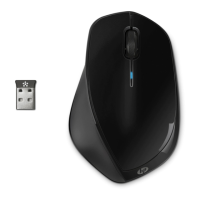
Connect the USB receiver to your computer or laptop for wireless communication.
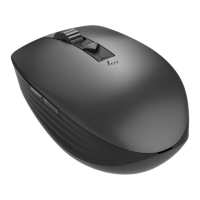
Activate the mouse by switching the power button to the ON position.
Plug the USB receiver into an available USB port on your computer.
Move and click the mouse to control your computer cursor.
 General
| Scroll | Yes |
|---|---|
| Purpose | Office |
| Scroll type | Wheel |
| Buttons quantity | 20 |
| Device interface | RF Wireless |
| Recommended usage | PC |
| Number of scroll wheels | 1 |
| Movement detection technology | Laser |
| Receiver type | Nano receiver |
| Wireless receiver interface | USB Type-A |
| HP segment | Home |
| Form factor | Ambidextrous |
| Product color | Black |
| Number of products included | 1 pc(s) |
| Battery type | AA |
| Power source | Batteries |
| Number of batteries supported | 2 |
| Country of origin | China |
| Package depth | 158.5 mm |
| Package width | 219.5 mm |
| Package height | 50.8 mm |
| Package weight | 210 g |
 Weight and Dimensions
| Depth | 74.2 mm |
|---|---|
| Width | 113.9 mm |
| Height | 38.5 mm |
| Weight | 80 g |

 To Next Page