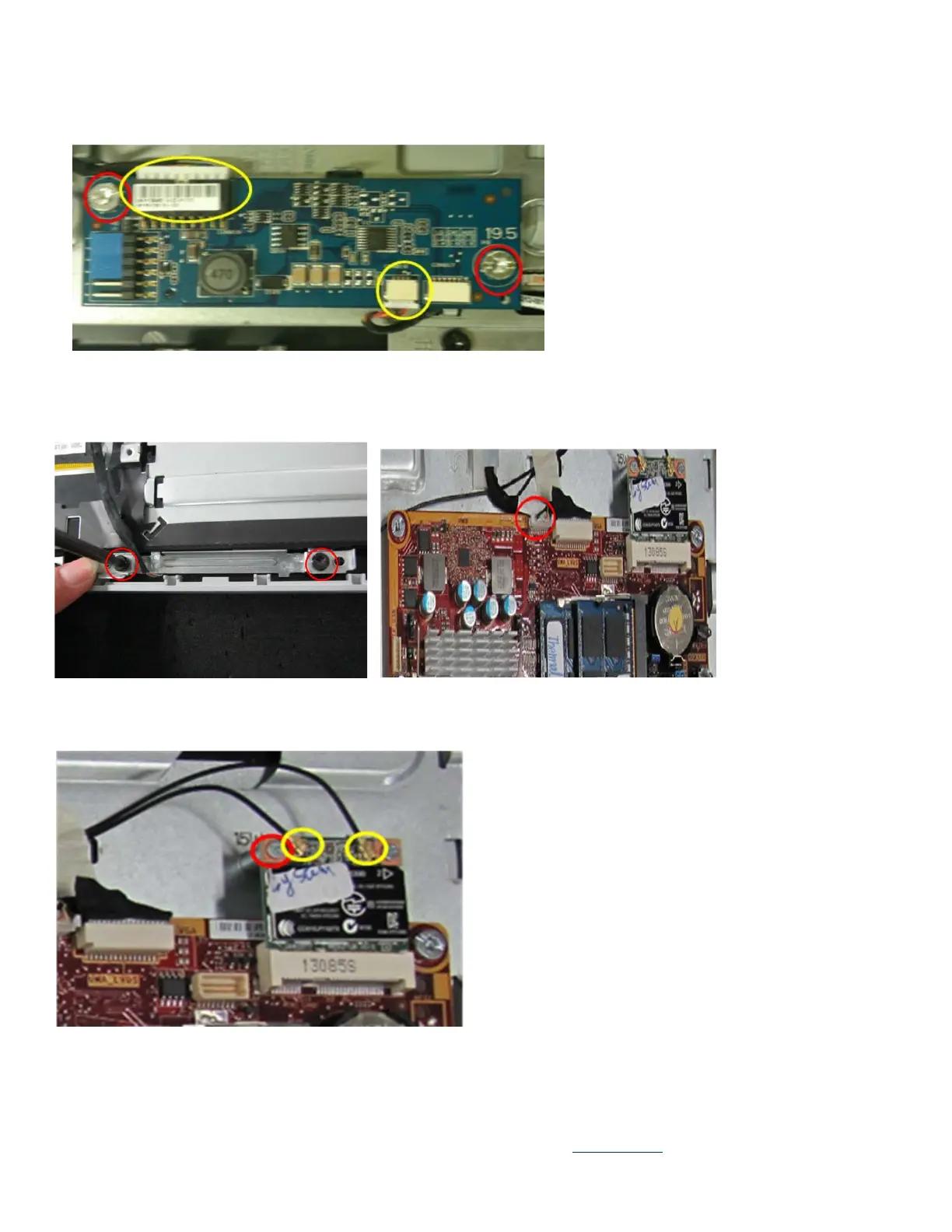
8, Disassemble converter board
Remove two cables and 2pcs screws to remove the converter board.
9, Disassemble Webcam
Remove the cable and screw in order to disengage the webcam module and mechanical parts.
10, Disassemble Wireless card
Remove one or two cables and 1pcs screw in order to remove wireless card.
EL-MF877-00 Page 7
Template Revision B
PSG instructions for this template are available at EL-MF877-01


 To Next Page
 Loading...