1.3 Installation Procedure
Follow these steps to install and re-assemble the AlphaServer DS25 Model B
system.
2
3
2
2
4
5
1
2
MR0492
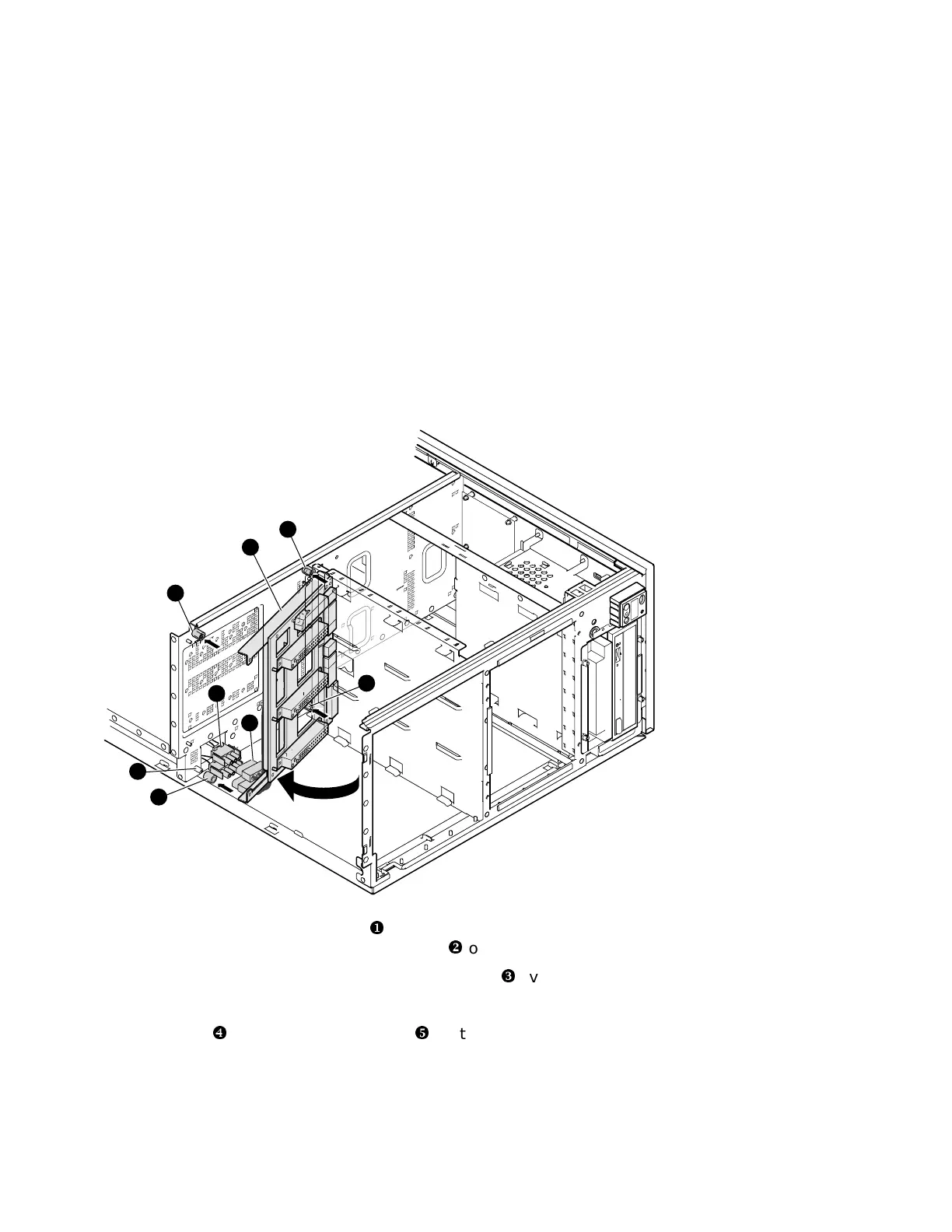
1. Find the four threaded standoffs
�
that were used to mount the old power
supply backplane. Slip four tubular spacers
�
over these four standoffs.
2. Position the new 500-watt power supply backplane
�
over and on top of the
spacers on the right side while holding the left side out away from the
center wall of the enclosure. Connect the 3-pin and 4-pin Mate-N-Lok
connectors
�
to the mating connectors
�
that are part of the new
backplane assembly.
1-6 AlphaServer DS25 Field Upgrade to DS25 Model B







 To Next Page