8
2.1.2 Remove the Memory Card
If the camcorder is power on, please power off first and wait for the
procedure of switching off the camcorder completed before
removing the memory card.
Note:
1. Do not remove or insert the memory card when the camcorder is turned on. This
may damage the memory card.
2. Support SDHC class 10 and memory storage 8GB or above (support up to 32GB).
3. Please format the micro SD cards before the initial use. The formatted file type
for this camcorder is FAT32 file.
4. Periodically format the microSD card (recommended period: once a month).
2.2 Installing in Vehicles
2.2.1 Mount to Windshield
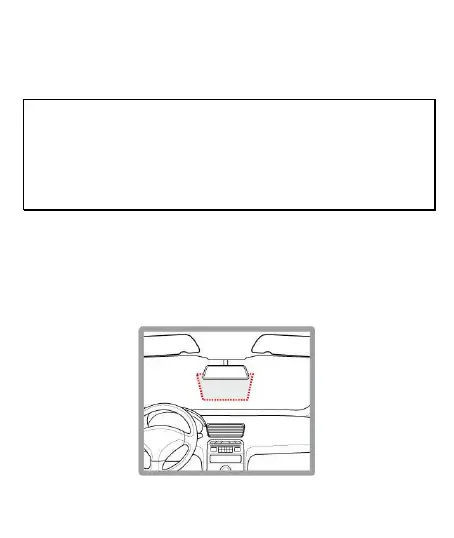
1. Put the electrostatic sticker onto the suggested area on the
windshield. Before putting the sticker, please wipe and clean the
windshield. During the installation, please make sure the bubbles
in between the sticker and the window are all gone.



 To Next Page