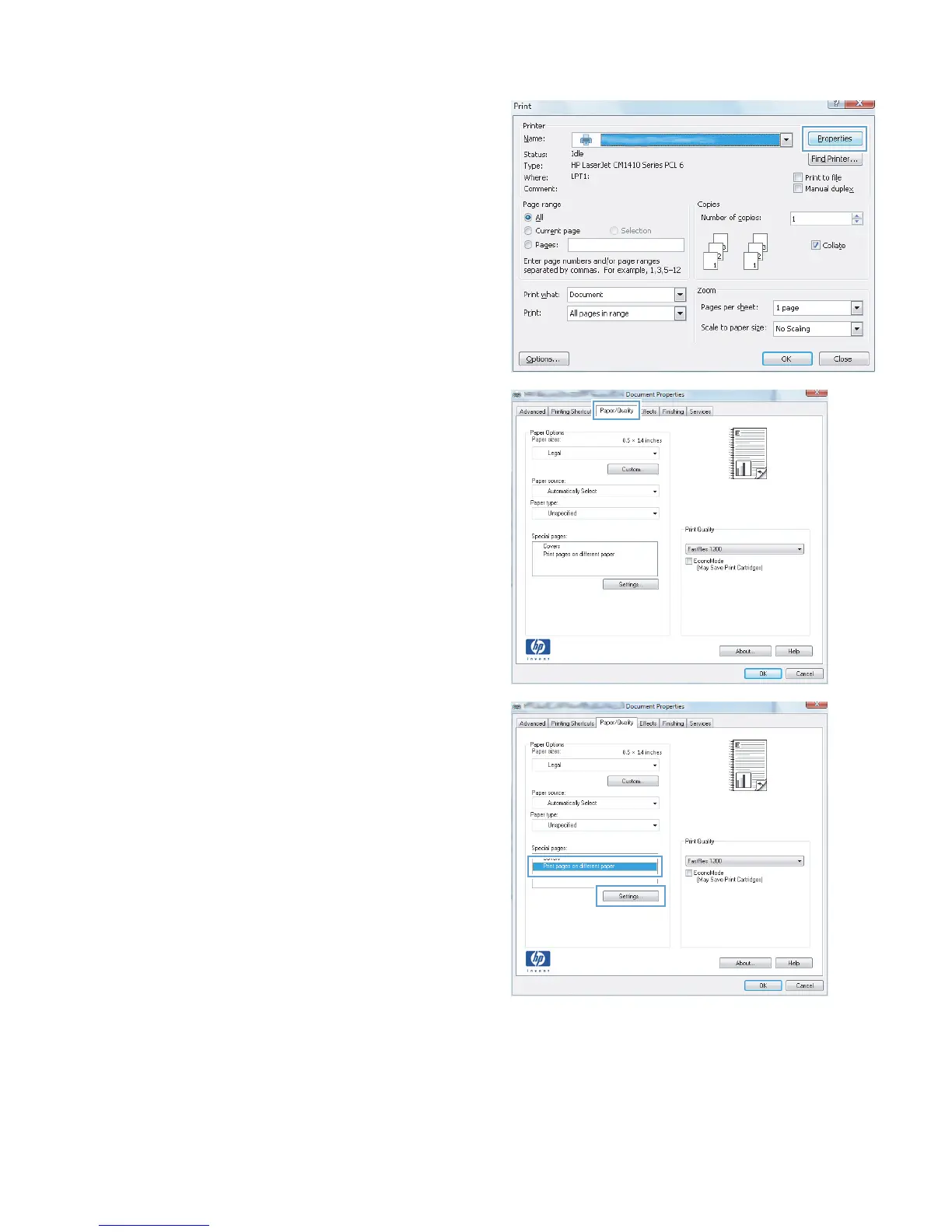
2. Select the product, and then click the
Properties or Preferences button.
3. Click the Paper/Quality tab.
4. Click the Print pages on different paper
item, and then click the Settings button to
select the necessary settings for the front cover,
other pages, and back cover.
ENWW
Print tasks for Windows
39



 To Next Page