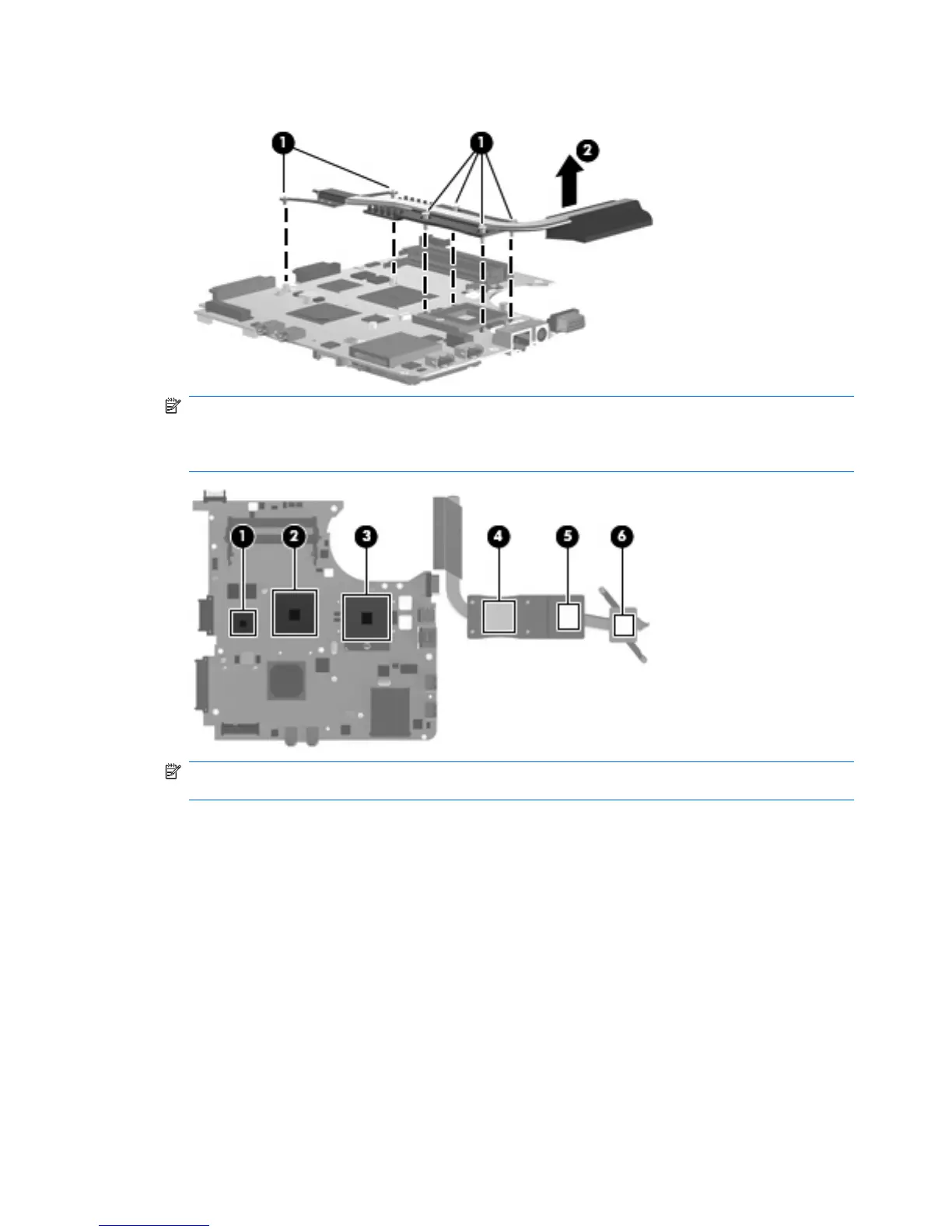
6. Remove the heat sink (2).
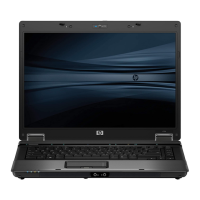
NOTE: The thermal material must be thoroughly cleaned from the surfaces of the system
board (1), (2), and (3), and the heat sink components (4), (5), and (6) each time the heat sink is
removed. Replacement thermal material is included with all heat sink, system board, and processor
spare part kits.
NOTE: Steps 7 through 9 apply only to HP Compaq 6735s Notebook PC models with AMD
processors and UMA subsystem memory.
7. Turn the system board upside down, with the audio connectors toward you.
8. Following the 1, 2, 3, 4 sequence stamped into the heat sink, loosen the five screws (1) around the
processor.
90 Chapter 4 Removal and replacement procedures



 To Next Page