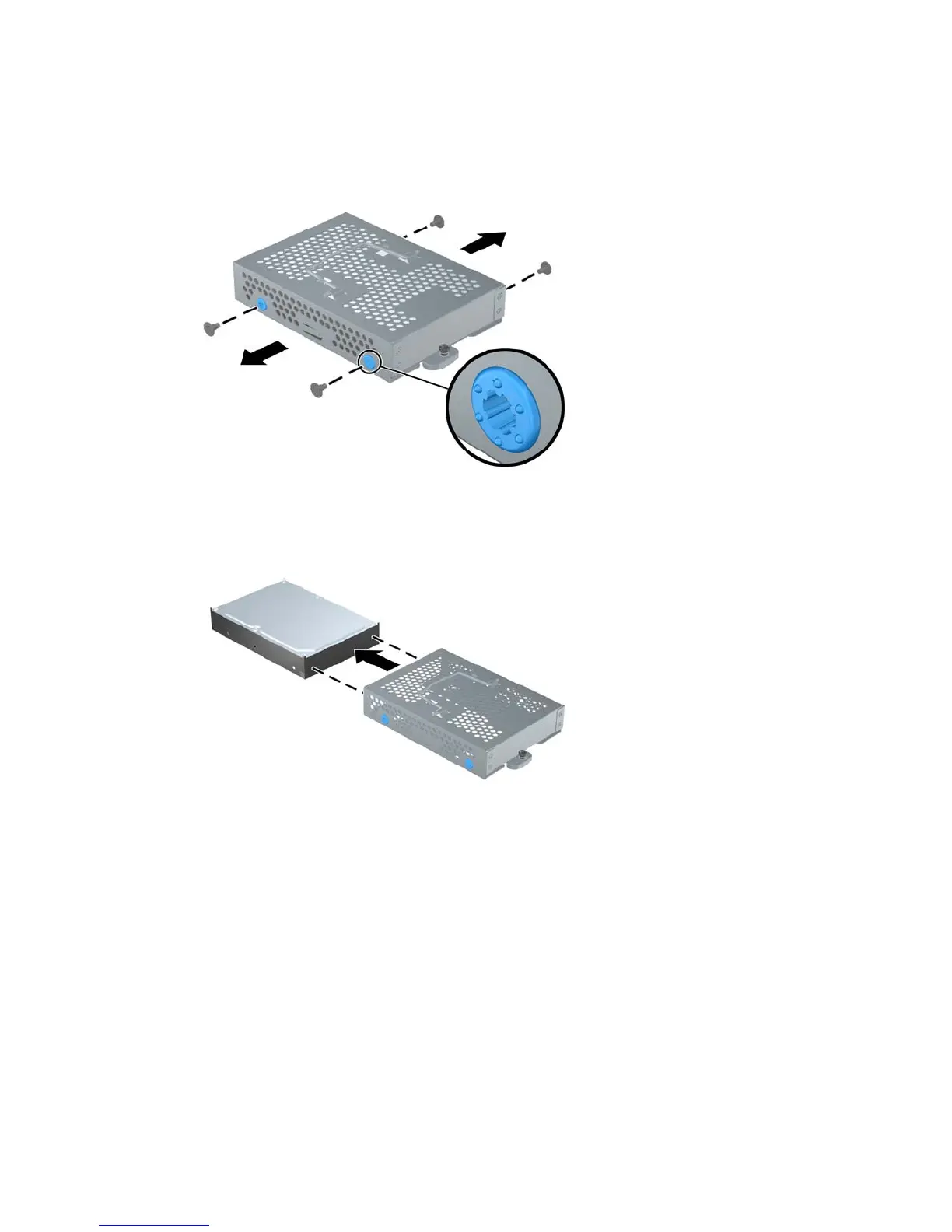
10. Remove the four mounting screws that secure the drive to the cage. Do not remove the blue
rubber grommets behind each screw. They must stay attached to the cage when installing a new
hard drive.
Figure 2-14 Removing the Hard Drive Mounting Screws
11. Slide the hard drive out of the cage.
Figure 2-15 Removing the Hard Drive from the Cage
ENWW Replacing the Hard Drive 15


 To Next Page
 Loading...