Getting Started Guide 1
Chapter 1: Getting to know your computer
After you set up and register the computer, it is important to learn about your computer
features.
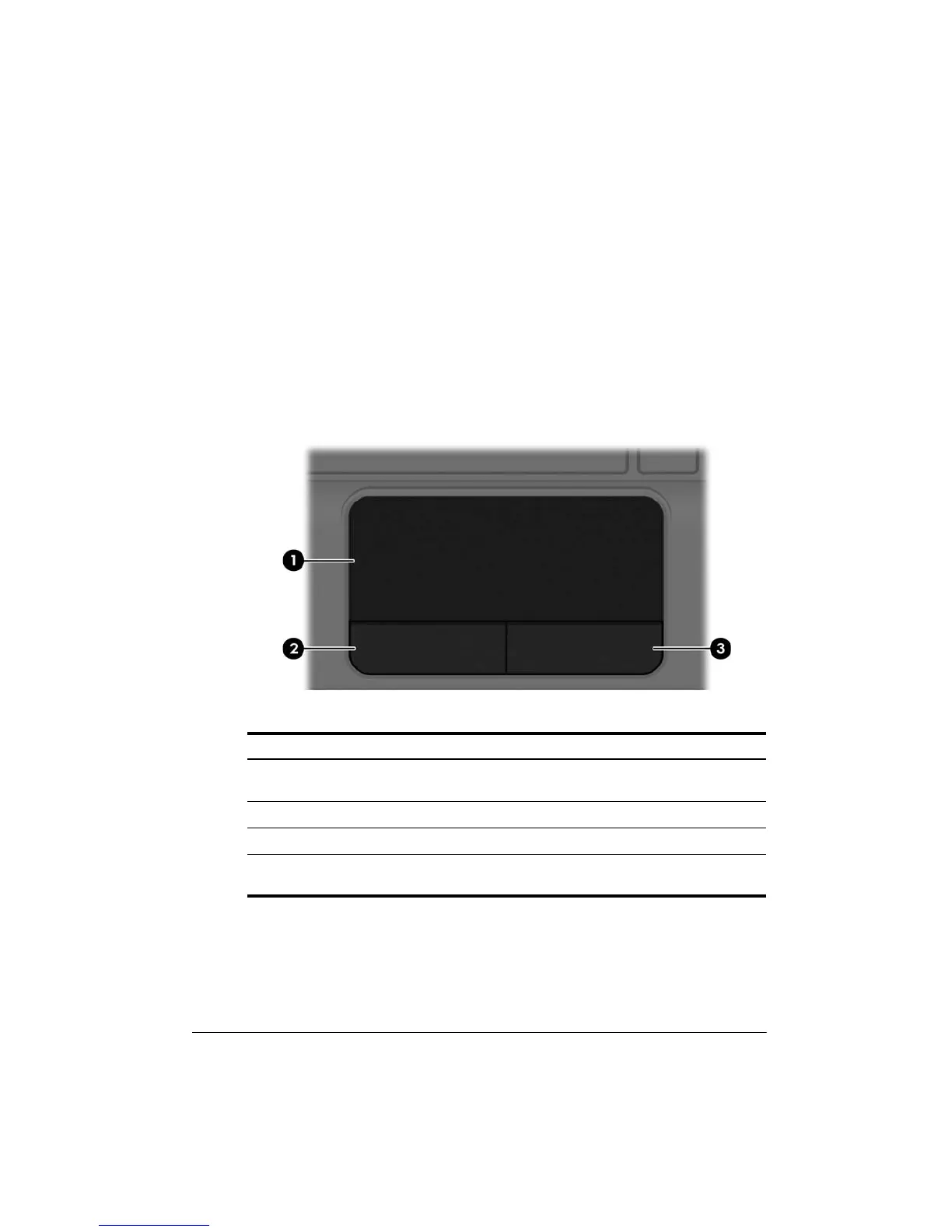
TouchPad
Top
Component Description
1 TouchPad Moves the pointer and selects or activates items on
the screen.
2
Left TouchPad button Functions like the left button on an external mouse.
3
Right TouchPad button Functions like the right button on an external mouse.
This table describes factory settings. To view or change pointing device preferences,
select Start > Devices and Printers.






 To Next Page