2 Getting Started Guide
Chapter 1: Getting to know your computer
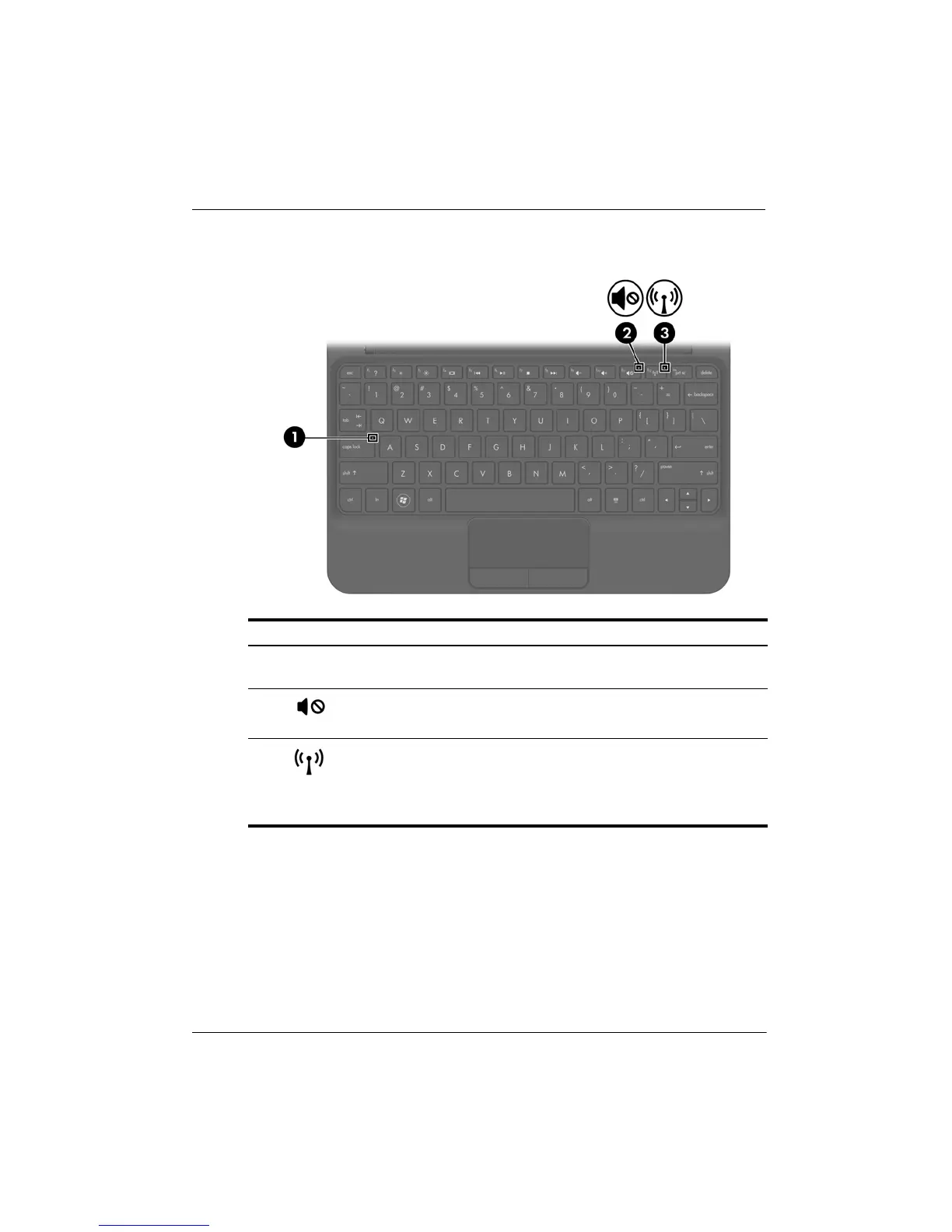
Lights
Component Description
1
Caps lock light White: Caps lock is on.
On: Caps lock is off.
2
Mute light ■ Amber: Computer sound is off.
■ Off: Computer sound is on.
3
Wireless light ■ White: An integrated wireless device,
such as a wireless local area network
(WLAN) device and/or a Bluetooth
®
device, is on.
■ Amber: All wireless devices are off.








 To Next Page