Getting Started Guide 29
Chapter 3: Upgrading and routine care
✎
For additional information on using the battery, refer to the HP Notebook Reference
Guide.
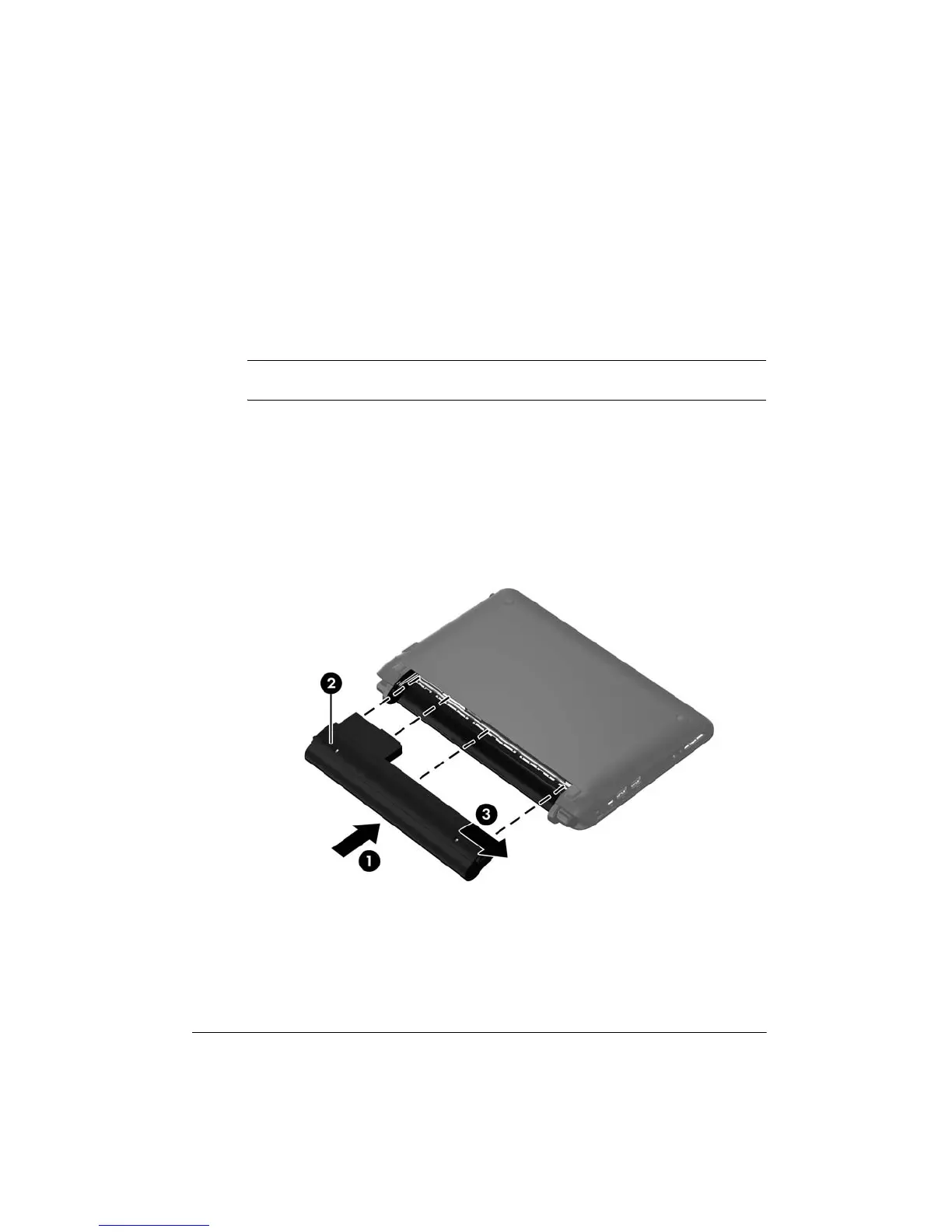
To insert the battery:
1. Save your work and shut down the computer.
2. Disconnect all external devices connected to the computer.
3. Unplug the power cord from the AC outlet.
4. With the display closed, position the computer upside down on a flat surface with the
battery bay toward you.
5. Insert the battery 1 into the battery bay until the battery release latch 2 clicks.
6. Slide the battery locking latch 3 to the right to lock the battery into the battery bay.
Inserting or removing the battery







 To Next Page