Getting Started Guide 3
Chapter 1: Getting to know your computer
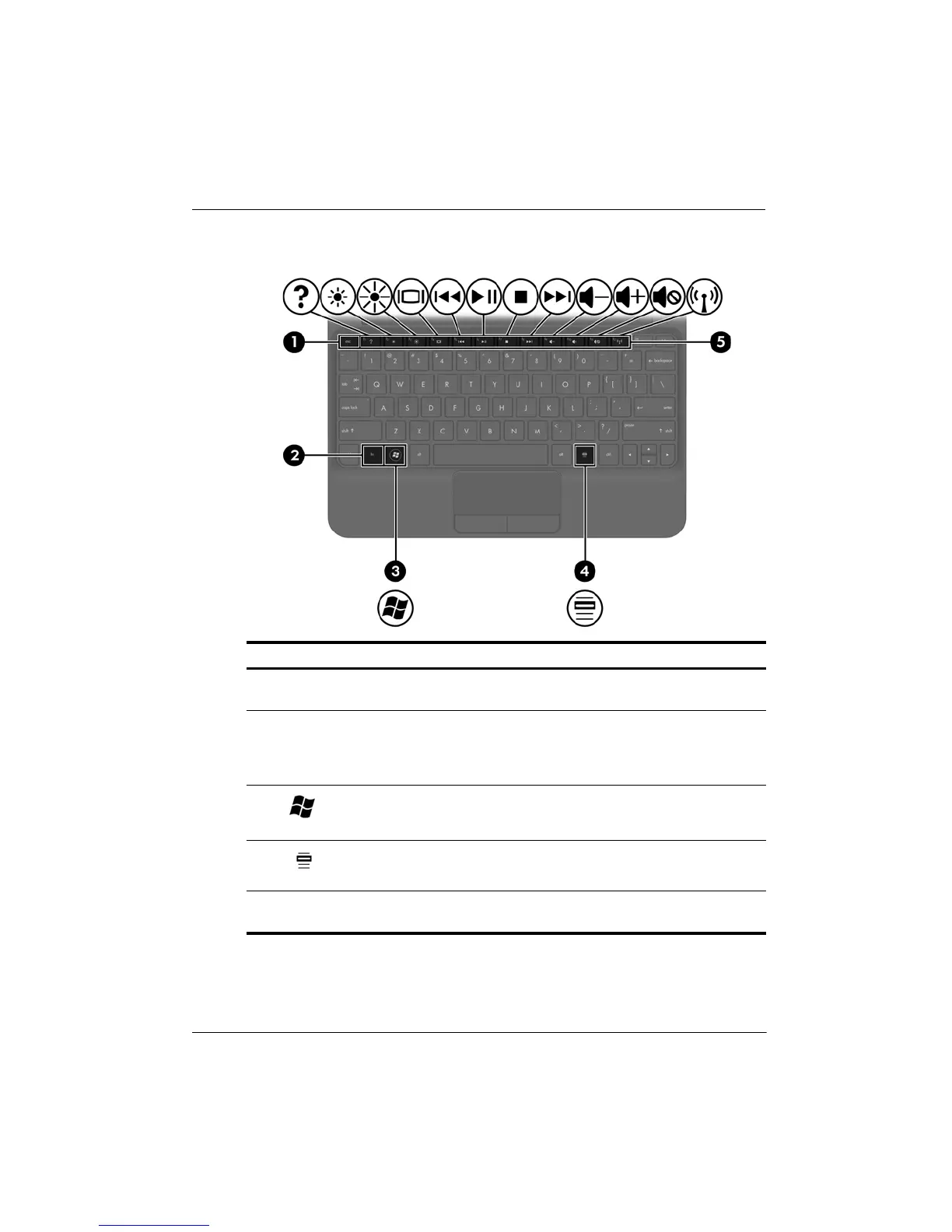
Keys
Component Description
1
esc
key Displays system information when
pressed in combination with the
fn key.
2
fn
key Executes frequently used system
functions when pressed in combination
with a function key, the
num lk key, or
the
esc key.
3
Windows logo key Displays the Windows
®
Start menu.
4
Windows applications key Displays a shortcut menu for items
beneath the pointer.
5
Action keys Execute frequently used system
functions.










 To Next Page