Getting Started Guide 33
Chapter 3: Upgrading and routine care
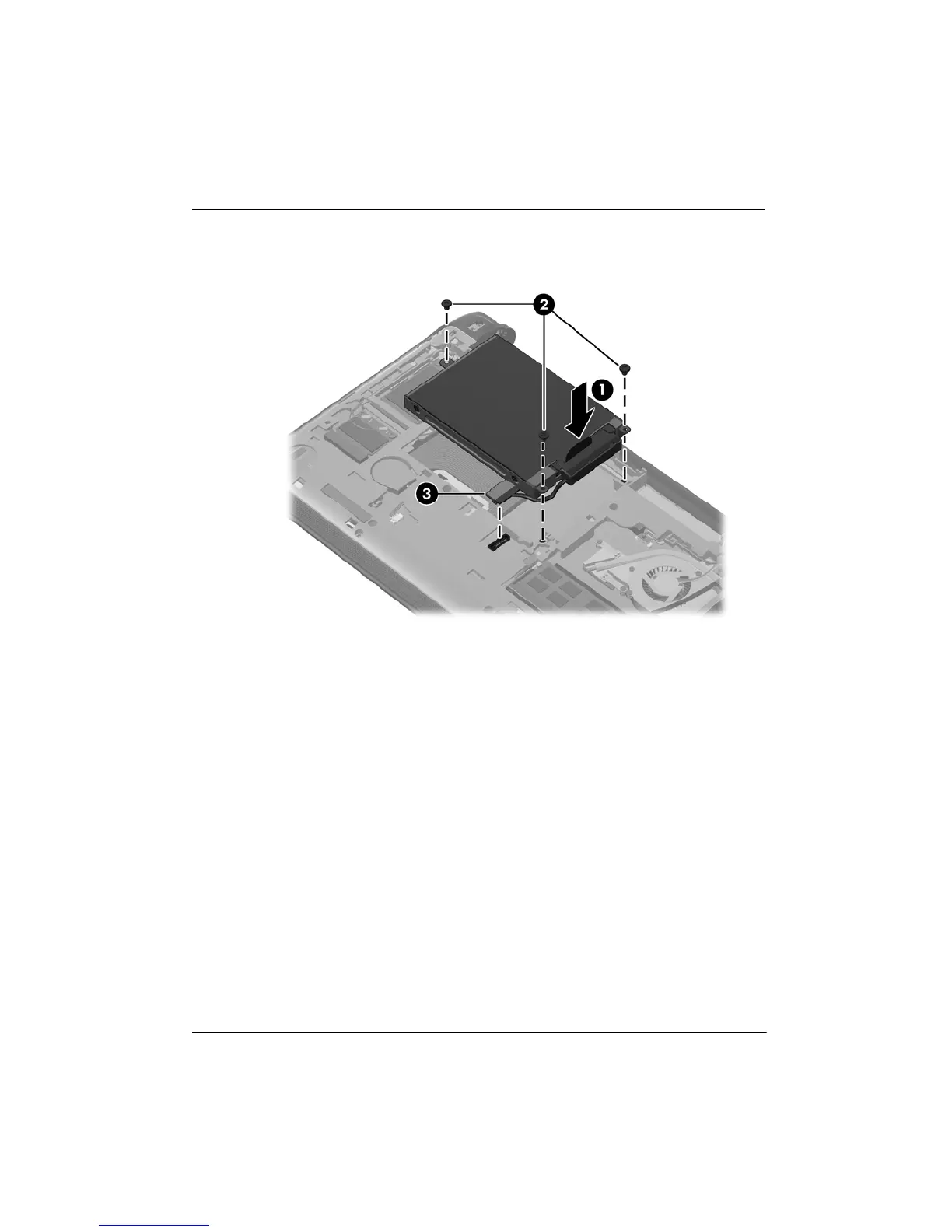
4. Grasp the tab on the hard drive cable connector 3, and then carefully press the hard
drive cable connector onto the system board until it snaps into place.
5. Replace the vanity cover:
a. With the battery bay toward you, insert the 4 tabs on the front edge of the vanity
cover into the 4 slots in the base 1.
b. Rotate the back edge 2 of the vanity cover toward you, and then firmly press it
down until it snaps into place.









 To Next Page