Hardware options installation 43
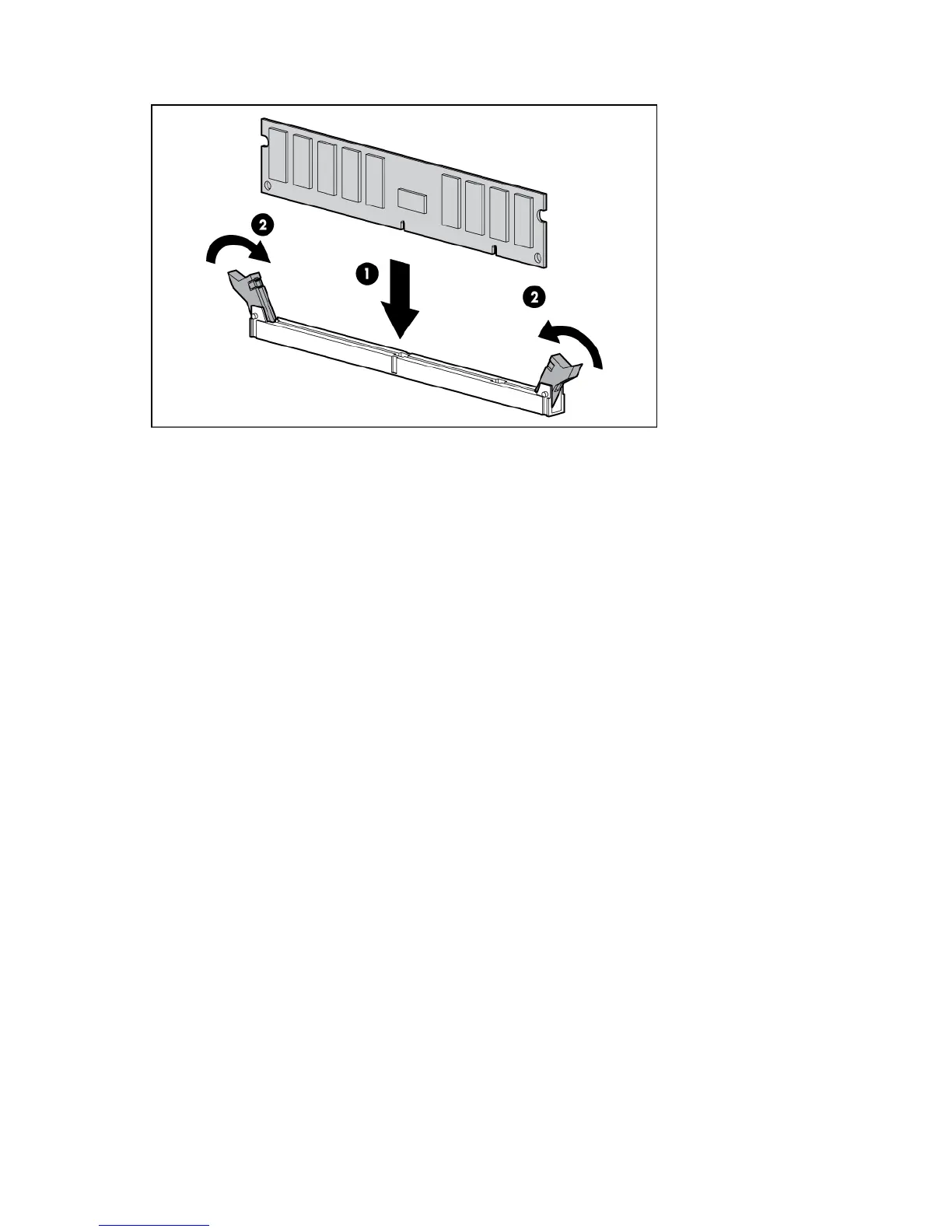
For detailed DIMM population guidelines, see "Memory configurations (on page 43)."
17. Install the DIMM baffle.
18. Install the processor memory drawer cover.
19. Install the processor memory drawer.
20. Power up the server (on page 25).
Memory configurations
This server supports up to 512 GB of system memory using DDR3 2-GB, 4-GB, 8-GB, and 16-GB memory
modules across 48 memory sockets.
Advanced ECC memory
Advanced ECC memory is the memory protection mode for this server. In Advanced ECC, the server does
not fail because of correctable memory errors. The server provides notification if the level of correctable
errors exceeds a pre-defined threshold rate.
Advanced ECC provides additional protection over standard ECC because it is possible to correct certain
memory errors that would otherwise be uncorrectable and result in a server failure.
Whereas standard ECC can correct single-bit memory errors, Advanced ECC can correct single-bit
memory errors and multi-bit memory errors if all failed bits are on the same DRAM device on the memory
module.
Population order
The two tables below represent the memory module population order for one processor. The population
order for the other processor is identical. SR denotes Single Rank, DR denotes Dual Rank, and QR denotes
Quad Rank.
All memory modules must follow the population order shown in these two tables for both processors with
the following exception:






 To Next Page